
Wispr Flow Review: Typing is something most of us do every day. We type emails, WhatsApp messages, blog posts, social media captions, AI prompts, documents and even code.
But here’s the problem: most people can speak much faster than they can type.
That’s the idea behind Wispr Flow.
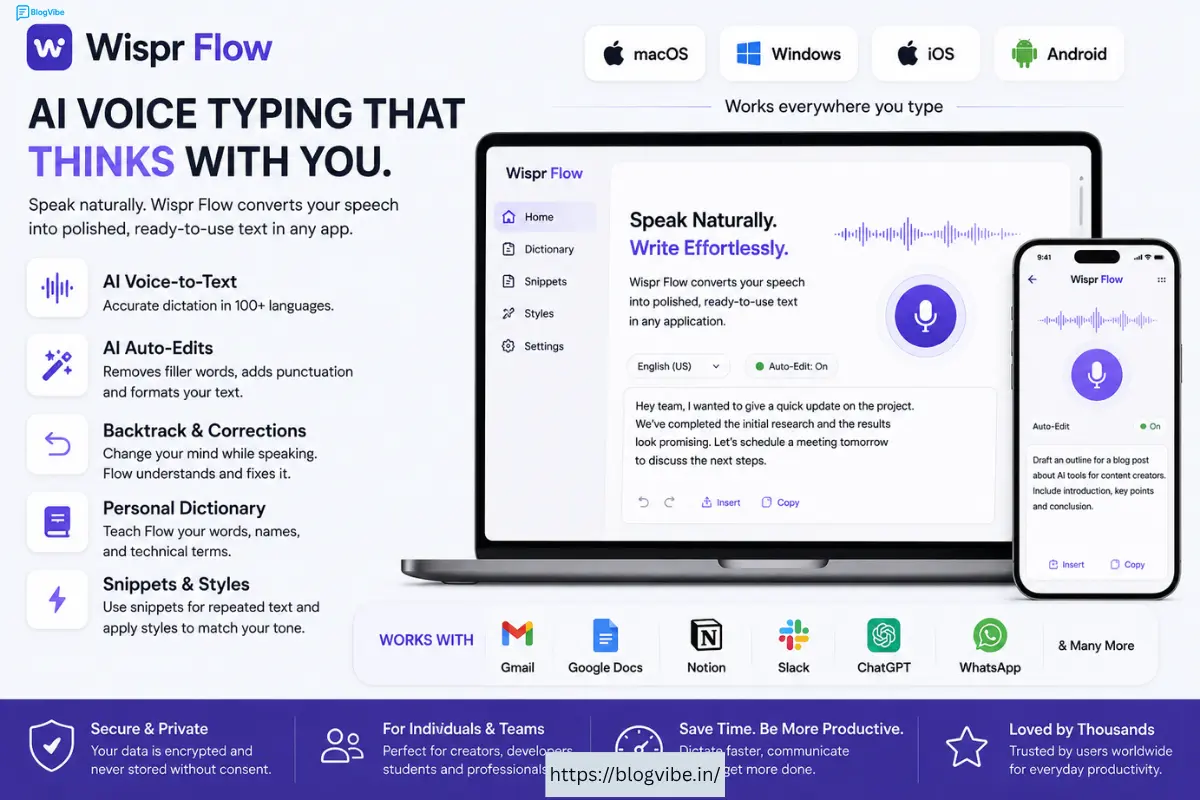
Wispr Flow is an AI-powered voice-to-text tool that lets you speak naturally and turns your speech into clean, polished text. Instead of typing everything manually, you can simply talk and let Flow handle the transcription, punctuation, formatting and corrections.
What makes it different from ordinary voice typing is the AI layer. Flow can remove filler words, understand when you change your mind, format lists, recognize technical terminology and adapt to your personal vocabulary. (Wispr Flow)
In this detailed Whisper Flow Review 2026, we’ll look at what it is, its main features, pricing, pros and cons, who should use it and whether it’s actually worth your money.
What Is Whisper Flow?
Wispr Flow is an AI voice dictation and productivity tool developed to help people write using their voice instead of a keyboard.
The basic concept is simple:
You speak → Flow understands → Flow cleans it up → You get polished text.
Unlike traditional speech-to-text software, you don’t necessarily have to speak in perfectly structured sentences.
You can think out loud, pause, correct yourself and continue.
For example, imagine saying:
“I want to publish the article on Monday… actually, make that Tuesday because I need one more day.”
A basic dictation tool may simply transcribe everything.
Flow is designed to understand the correction and produce the intended version. Its Backtrack feature specifically handles situations where you change your mind while speaking. (Wispr Flow)
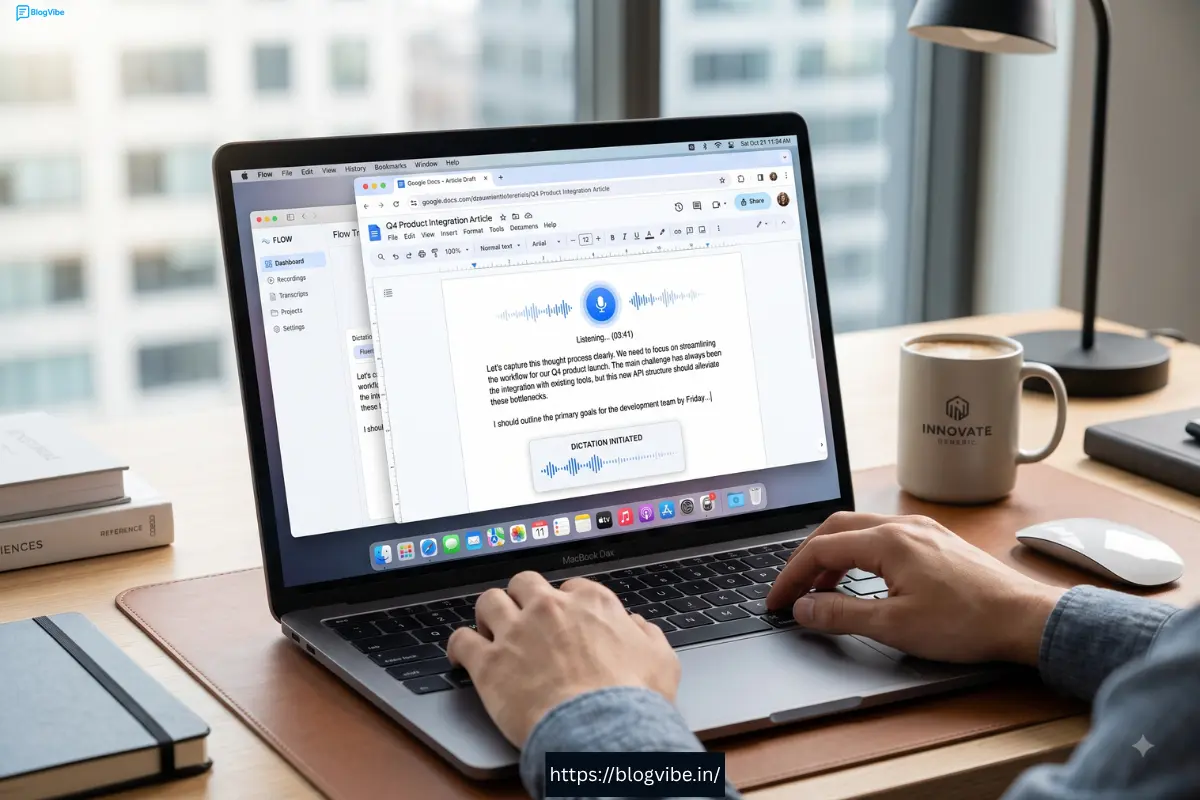
Flow can be used wherever you have a text field, including applications such as Gmail, Google Docs, Notion, WhatsApp, ChatGPT, Claude and developer tools such as Cursor. (Wispr Flow)
It is currently available on Mac, Windows, iPhone and Android. (Wispr Flow)
Want to try Wispr Flow?
If you’re interested in testing it yourself, you can try Wispr Flow here.
You can start with the available free option and see whether voice typing fits your workflow before committing to a paid plan.
My Experience With Wispr Flow
The most interesting thing about Wispr Flow isn’t simply that it converts voice into text.
Your phone can already do that.
The real difference is how Flow handles natural speech.
When people talk, they don’t always speak like they’re writing an article. We pause, repeat ourselves, use filler words, change our minds and jump between ideas.
Flow is designed to handle that style of communication.
For example, you could start explaining an article idea without worrying too much about grammar or punctuation. Flow can turn that spoken input into more readable text by removing filler words, adding punctuation and formatting certain structures automatically. (Wispr Flow)
This makes it particularly interesting for content creators.
Instead of opening a blank document and staring at the cursor, you can simply start talking.
You could explain:
- Your article idea
- Your video script
- A product review
- A social media post
- An email
- A YouTube description
- An AI prompt
- A list of ideas
Then clean up the result afterward.
For people who think faster than they type, this can completely change the writing process.
One thing to remember
Wispr Flow is not an offline dictation application. The company states that an internet connection is required for transcription. (Wispr Flow)
So if offline functionality is your top priority, you should keep that limitation in mind.
Who Is Whisper Flow For?
Wispr Flow can be useful for almost anyone who spends a lot of time typing, but some users are likely to benefit more than others.
1. Bloggers and Content Creators
This is probably one of the strongest use cases.
Bloggers can dictate article ideas, introductions, outlines and even rough drafts.
Content creators can also use Flow for YouTube scripts, captions, social media posts and brainstorming.
Wispr Flow specifically promotes use cases such as creating long-form scripts, newsletters, guidelines and publish-ready blog content. (Wispr Flow)
2. Students
Students can use voice typing to capture notes, brainstorm assignments and create first drafts.
Wispr Flow also offers a student discount, making Pro more affordable for eligible students. (Wispr Flow)
3. Developers
This is where Flow becomes more interesting than ordinary voice typing.
The software is designed to understand programming syntax, filenames, acronyms, CLI commands, camelCase and snake_case. (Wispr Flow)
So developers can use their voice while working with coding tools instead of switching constantly between keyboard and microphone.
4. Business Professionals
If you send dozens of emails or messages every day, voice typing can save a lot of repetitive keyboard work.
Flow can be used in Gmail, Slack-style messaging environments, documents and other applications containing text fields.
5. AI Users
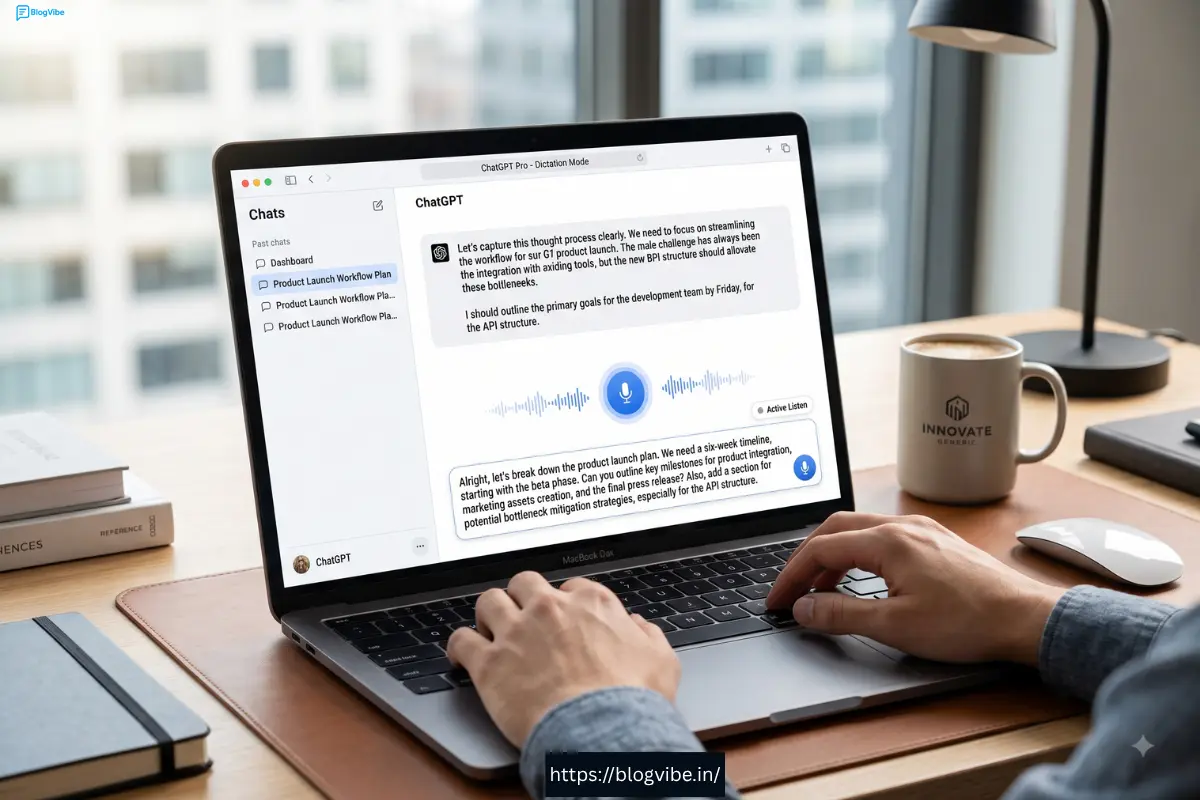
People who regularly use ChatGPT, Claude or other AI tools can also benefit.
Instead of typing a short prompt, you can explain the complete context verbally.
That can make it easier to give AI tools more detailed instructions.
Key Features of Wispr Flow
AI Voice-to-Text
The main feature is, of course, voice typing.
Speak naturally and Flow converts your speech into text.
The important part is that it works across applications instead of locking you into one writing environment. (Wispr Flow)
AI Auto-Edits
Flow doesn’t simply dump your speech onto the screen.
It can clean up filler words, improve punctuation and format your spoken content.
For example, unnecessary words such as “um” and “uh” can be removed automatically.
This means your final text can be much cleaner than a traditional voice transcript. (Wispr Flow)
Backtrack and Corrections
This is one of my favorite concepts in Flow.
You can change your mind while speaking.
For example:
“Let’s schedule the meeting for Monday… actually Tuesday.”
Flow is designed to understand that the second statement is a correction rather than two separate instructions. (Wispr Flow)
That makes voice dictation feel much more natural.
Automatic Punctuation
You don’t have to manually say “comma” or “period” after every sentence.
Flow can detect punctuation from your speech, pauses and tone.
You can also dictate punctuation manually when you need precise control. (Wispr Flow)
100+ Languages
Wispr Flow supports more than 100 languages, including Hindi, English, Chinese, Korean, Arabic and others. (Wispr Flow)
This is especially useful for multilingual users.
For users in India, Wispr Flow also promotes Hindi, English and Hinglish workflows. (Wispr Flow)
Personal Dictionary
Do you frequently use unusual names, company names, technical terms or industry-specific words?
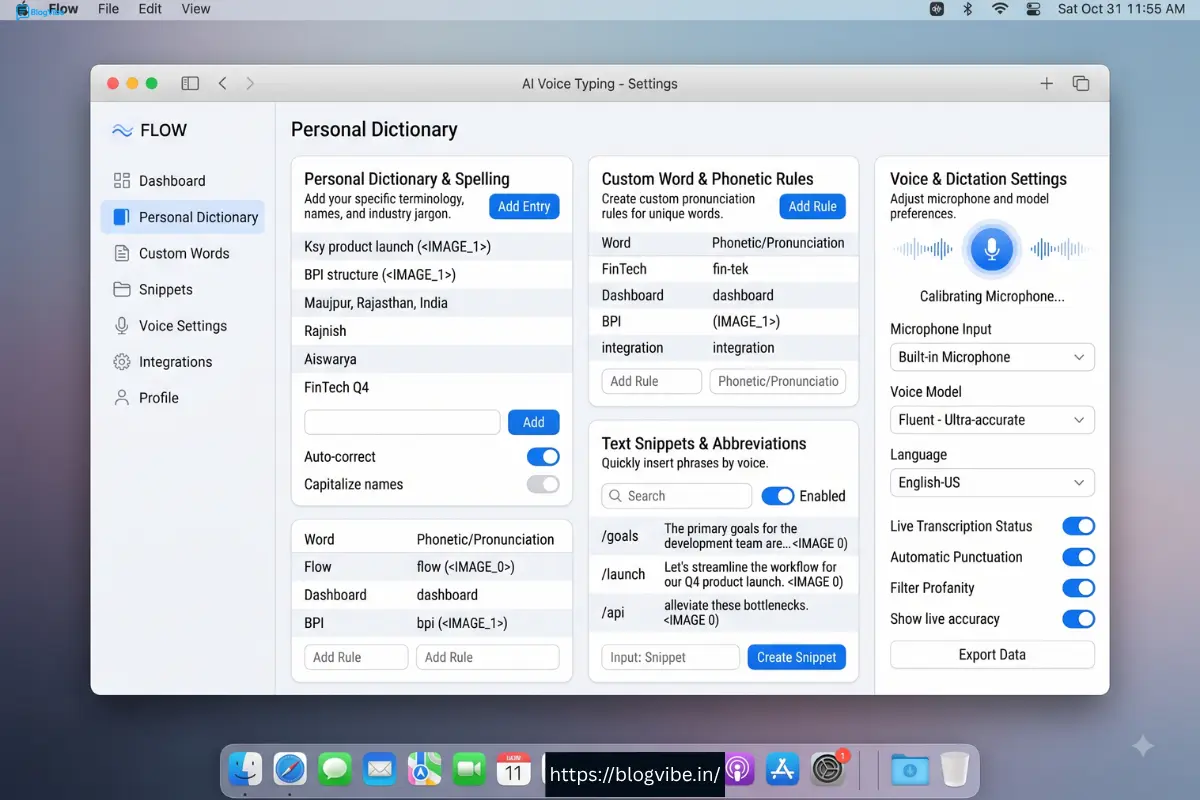
Flow has a personal dictionary that can learn your vocabulary.
You can also manually add words when necessary. (Wispr Flow)
Over time, this can make the transcription experience more personalized.
Snippets
Snippets are useful when you repeatedly type the same information.
For example, you could create a shortcut for:
- Your email introduction
- A calendar link
- A common customer response
- FAQ answers
- Your social media bio
Then use a short voice cue instead of dictating the entire block of text.
Styles
Flow’s Styles feature can adapt your writing tone.
You might want a professional style for business emails, a casual style for messages and a different tone for content.
According to Whisper Flow, Styles is currently available in English on desktop. (Wispr Flow)
Additional Features
Cross-Platform Support
One of the biggest advantages is that Flow isn’t limited to a single device.
It supports:
- Mac
- Windows
- iPhone
- Android
Your personal settings and vocabulary can work across your devices. (Wispr Flow)
Developer Features
Developers get specialized features designed around technical language.
Flow can recognize developer terminology and understand code-related syntax, including camelCase and snake_case. (Wispr Flow)
It can also recognize filenames when working with tools such as Cursor or Windsurf. (Wispr Flow)
Team Collaboration
Flow isn’t only designed for individual users.
Teams can use shared dictionaries and shared snippets so everyone can work with the same terminology and frequently used responses.
Team usage dashboards are also available, with more advanced analytics for Enterprise customers. (Wispr Flow)
Privacy and Security
Privacy is an important consideration for any voice AI tool.
Wispr Flow offers Privacy Mode, while its Enterprise plan includes additional security and administrative features.
Enterprise customers can get features such as SSO/SAML, SOC 2 Type II and ISO 27001 compliance, enforced privacy controls and dedicated support. (Wispr Flow)
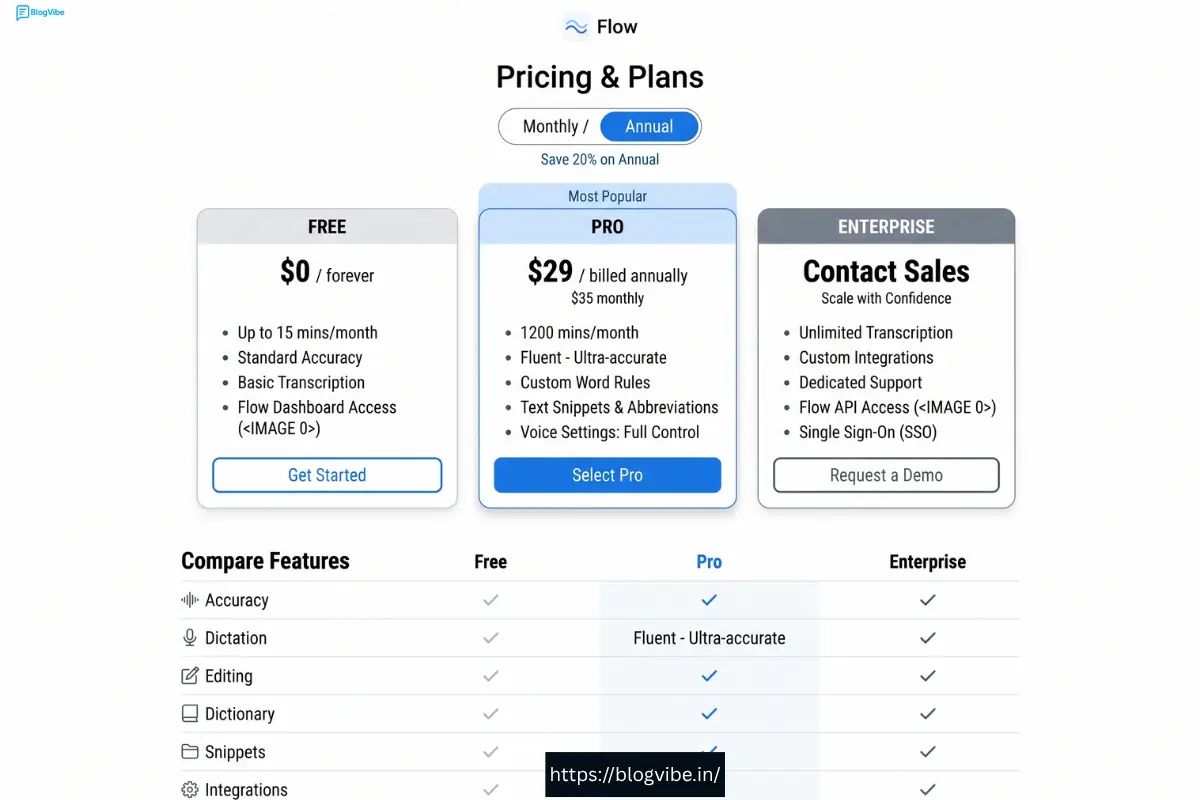
Wispr Flow Pricing
Wispr Flow offers a free Basic plan and paid Pro and Enterprise options.
According to the current official pricing page:
| Plan | Price | Main Features |
| Flow Basic | Free | Limited weekly dictation, 100+ languages, dictionary, snippets and Privacy Mode |
| Flow Pro | $15/user/month | Unlimited words, Command Mode, priority support and additional features |
| Flow Enterprise | Contact Sales | Advanced security, administration and enterprise support |
The Basic plan currently includes 2,000 words per week on Mac and Windows and 1,000 words per week on iPhone. Android currently has unlimited words listed as a limited-time offer. (Wispr Flow)
New users can also get a 14-day Flow Pro trial without a credit card. (Wispr Flow)
For users in India, Wispr Flow currently lists Pro at ₹400 per user/month, or ₹320 per user/month when billed annually. (Wispr Flow)
Is the free plan enough?
If you only occasionally use voice typing, the free plan may be enough.
But if you regularly create articles, scripts, emails or long AI prompts, you’ll probably get more value from Pro because of the unlimited dictation and advanced features.
Wispr Flow Pros and Cons
Pros
- AI-powered voice typing
- Works across many applications
- Supports 100+ languages
- Available on Mac, Windows, iPhone and Android
- Removes filler words
- Automatic punctuation
- Understands corrections
- Personal dictionary
- Snippets
- Styles
- Developer-friendly features
- Team collaboration
- Free plan available
- Pro trial available
Cons
- Requires an internet connection
- Free plan has usage limits on some platforms
- Pro can be expensive for occasional users
- Some advanced features are platform/language dependent
- Not ideal if you specifically need offline transcription
Wispr Flow Screenshots
Below are screenshots showing Wispr Flow’s interface, voice dictation, personalization features, and mobile experience. These visuals help you understand how Flow works across different devices and apps.
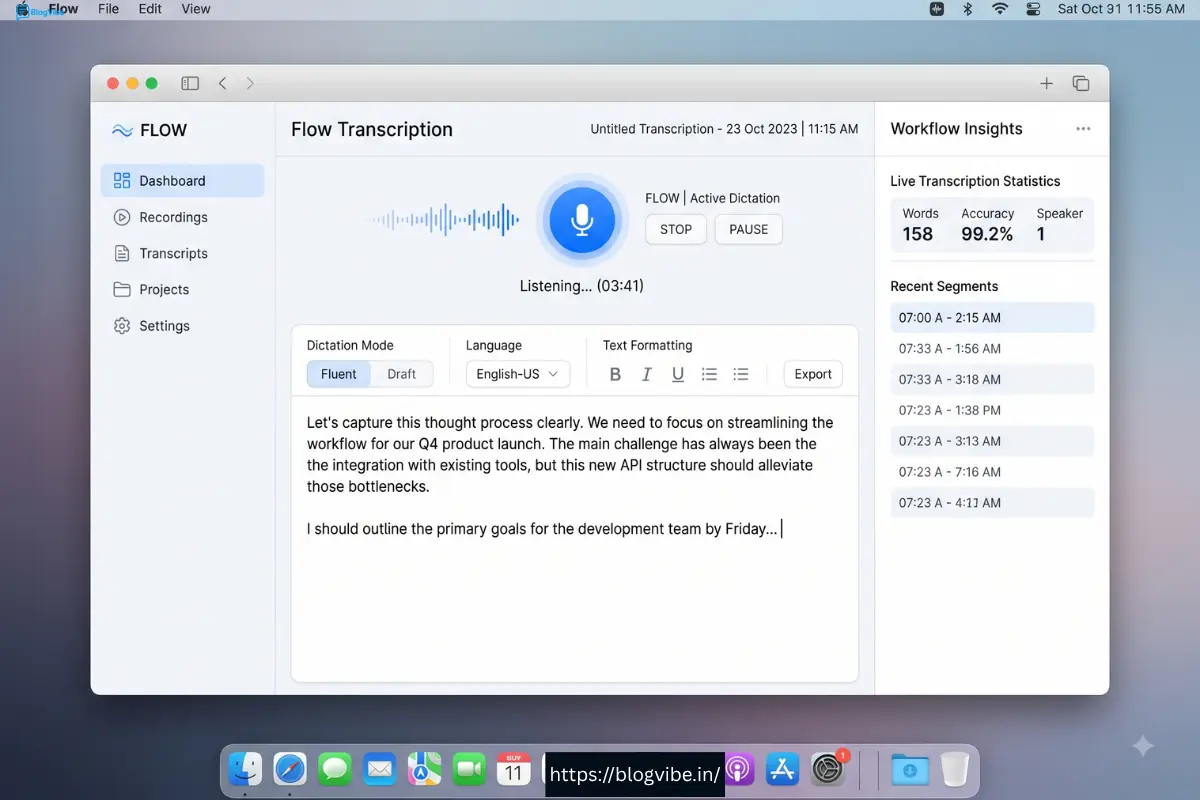
Screenshot 1: Wispr Flow Desktop Interface
Screenshot 2: Wispr Flow in Google Docs
Screenshot 3: Wispr Flow with ChatGPT
Screenshot 4: Dictionary and Snippets
Screenshot 5: Pricing
Screenshot 6: Mobile App
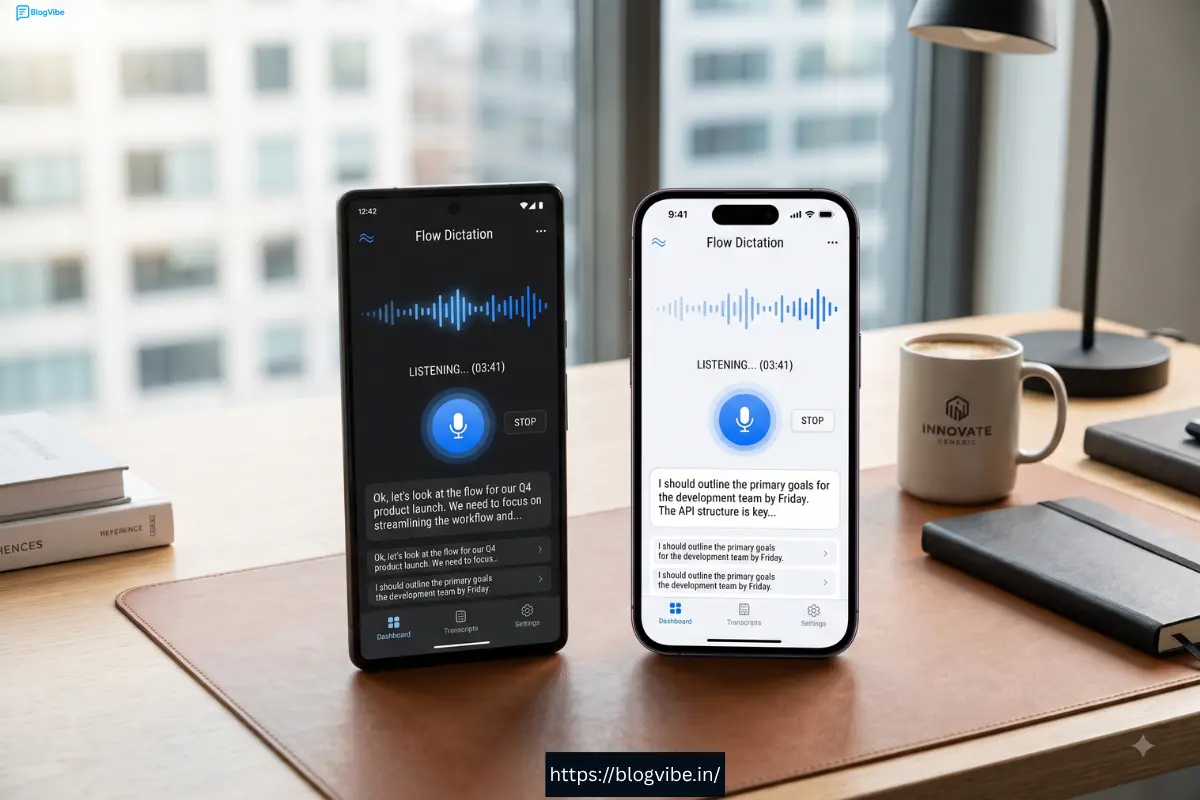
Tip: The screenshots below give you a closer look at Wispr Flow’s interface, features, and overall user experience
FAQ(Wispr Flow Review)
Is Wispr Flow free?
Yes. Wispr Flow has a free Basic plan. New users may also receive a 14-day Pro trial depending on how they sign up. (Wispr Flow)
Is Wispr Flow better than normal voice typing?
For many users, it can be.
The main advantage is that Flow adds AI editing to traditional dictation. It can remove filler words, format lists, improve punctuation and understand corrections. (Wispr Flow)
Does Wispr Flow work on Windows?
Yes. Wispr Flow is available on Mac, Windows, iPhone and Android. (Wispr Flow)
Does Wispr Flow support Hindi?
Yes. Wispr Flow supports Hindi and more than 100 languages. (Wispr Flow)
Does Wispr Flow work offline?
No. Wispr Flow requires an internet connection to transcribe speech. (Wispr Flow)
How much does Wispr Flow Pro cost?
The current official pricing lists Pro at $15/user/month. In India, Wispr Flow currently lists Pro at ₹400/month, or ₹320/month when billed annually. (Wispr Flow)
Is Wispr Flow good for bloggers?
Yes.
Bloggers can use it to brainstorm ideas, dictate article drafts, create outlines, write emails and prepare AI prompts.
Wispr Flow specifically positions the product for creating blogs, scripts, newsletters and other long-form content. (Wispr Flow)
Is Wispr Flow Review good for developers?
Yes. Flow has features designed around programming terminology, syntax, filenames, CLI commands, camelCase and snake_case. (Wispr Flow)
Is Wispr Flow Review worth it?
If you type for several hours every day, it is definitely worth testing.
If you only type occasionally, the free plan may be sufficient.
Final Verdict: Is Wispr Flow Review Worth It?
So, is Wispr Flow worth it in 2026?
Yes — especially if you spend a lot of time typing.
The biggest reason isn’t simply that it converts speech into text. Smartphones and operating systems have offered basic dictation for years.
Wispr Flow goes a step further.
It attempts to understand how you speak, clean up your words and turn rough spoken thoughts into usable writing.
The combination of AI auto-edits, backtracking, automatic punctuation, 100+ language support, personal dictionary, snippets and cross-platform support makes it a compelling productivity tool. (Wispr Flow)
For bloggers and content creators, it can make brainstorming and first drafts much easier.
For developers, its understanding of technical terminology and code syntax makes it more useful than ordinary dictation.
For students and professionals, it can reduce the amount of repetitive typing required every day.
The biggest drawbacks are the internet requirement and the Pro subscription cost.
But you don’t have to make the decision immediately.
My recommendation(Wispr Flow Review)
Try Wispr Flow first and see how much time it saves you.
👉 Try Wispr Flow through BlogVibe
If you regularly find yourself thinking, “I know what I want to say, but I don’t want to type all of this,” Wispr Flow could be exactly the kind of AI productivity tool you’re looking for.
Overall Verdict: 4.5/5 ⭐
Best for: Bloggers, content creators, developers, students, professionals and heavy typists.
Bottom line: If speaking is faster and more natural for you than typing, Wispr Flow is one of the AI productivity tools worth trying in 2026.

