
If you’ve ever wanted to turn a normal photo into a cartoon, create an original cartoon character, or generate a funny cartoon scene just by typing a few words, Free AI Cartoon Generator can do it in seconds.
The good news is that you don’t need Photoshop, drawing skills, or expensive animation software anymore. Many AI tools now offer free credits or free versions that let you create cartoon images online.
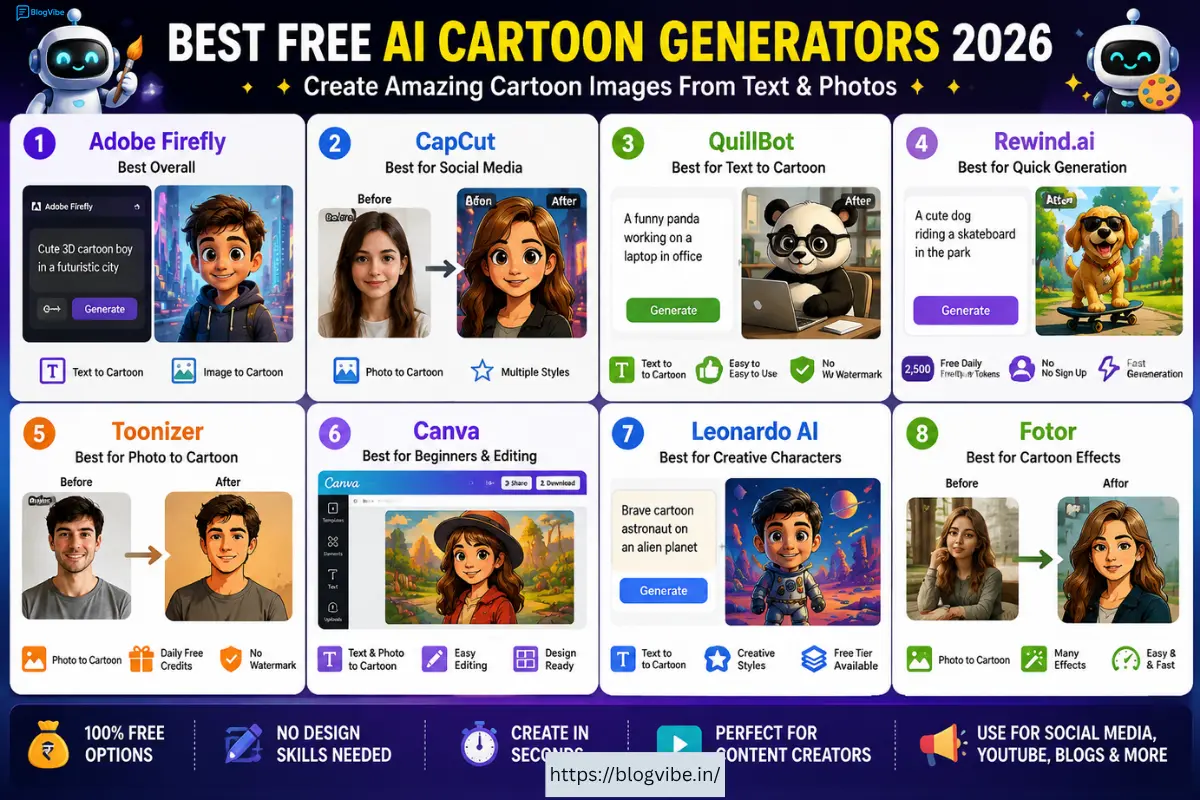
In this guide, we’ll look at the best free AI cartoon generators in 2026, including tools for text-to-cartoon, image-to-cartoon, anime, 3D cartoon characters, and cartoon-style images.
Quick answer: If you want a completely free and simple option, CapCut, Adobe Firefly, QuillBot and Rewind.ai are worth trying. The exact free limits can vary, so check the tool before creating a large batch of images. (Adobe)
What Is an AI Cartoon Generator?
An AI cartoon generator is an online AI tool that creates cartoon artwork from either a text prompt or an existing image.
For example, you could type:
“A cute cartoon dog riding a bicycle through a colorful city.”
The AI interprets your description and generates a cartoon image.
You can also upload a selfie and ask the tool to transform it into a cartoon character.
Modern AI cartoon generators can create several styles, including:
- 2D cartoons
- 3D cartoon characters
- Anime
- Comic-book art
- Caricatures
- Fantasy characters
- Cartoon pets
- Children’s illustrations
- Social-media avatars
Some tools can also take cartoon images further and turn them into animated videos.
Best Free AI Cartoon Generator in 2026
Here are some of the tools worth checking if you want to create cartoons online.
| AI Tool | Text to Cartoon | Image to Cartoon | Free Option | Best For |
| Adobe Firefly | ✅ | ✅ | Yes | High-quality AI art |
| CapCut | Limited | ✅ | Yes | Social media |
| QuillBot | ✅ | ✅ | Yes | Simple cartoon creation |
| Rewind.ai | ✅ | — | Yes | Quick AI cartoons |
| Toonizer | Prompt-assisted | ✅ | Yes | Cartoon photos |
| Canva | ✅ | ✅ | Yes | Beginners & editing |
| Leonardo AI | ✅ | ✅ | Free tier | Creative characters |
| Fotor | Limited | ✅ | Free tier | Photo cartoon effects |
Free credits, limits and features can change over time.
1. Adobe Firefly – Best Overall AI Cartoon Generator
Adobe Firefly AI Cartoon Generator is one of the strongest options if you want more control over your cartoon.
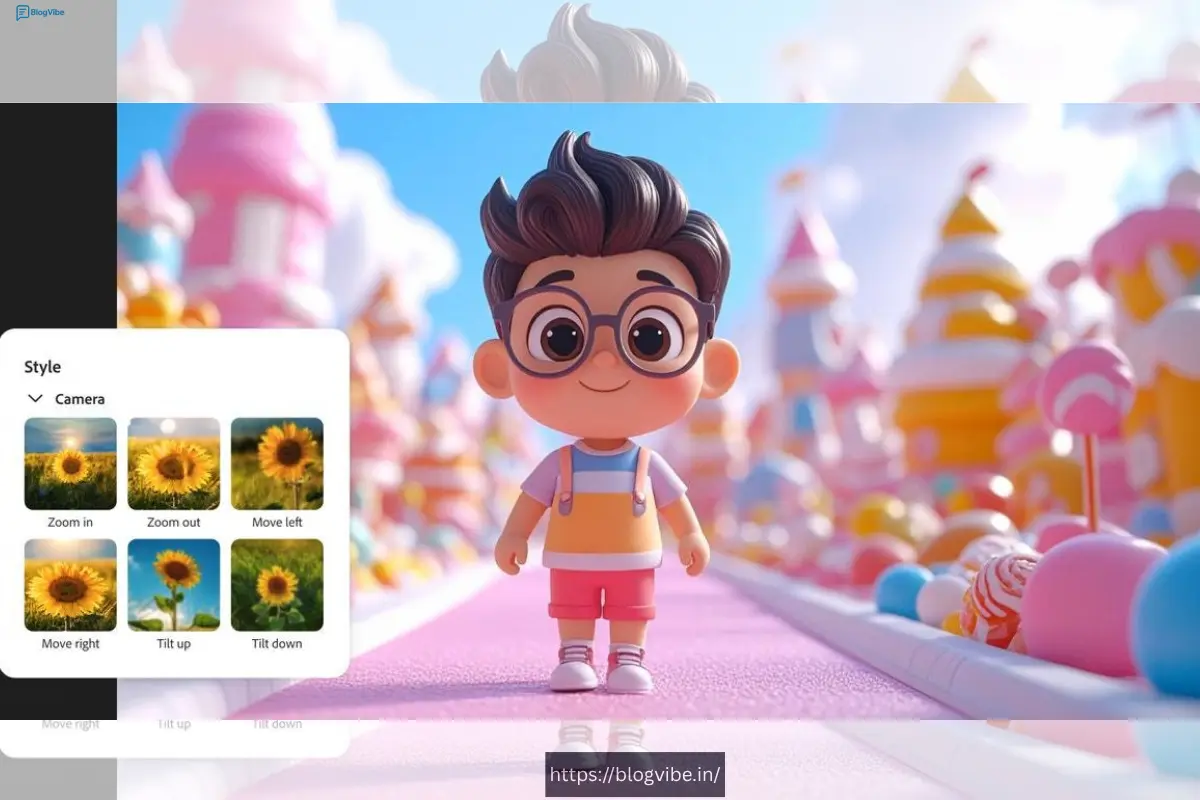
You can start with a text prompt or use a reference image. Adobe says Firefly supports cartoon, anime and comic effects, along with controls for things such as lighting, colour, camera angle and composition. (Adobe)
For example, you could enter:
“A cute 3D cartoon boy wearing a blue hoodie, standing in a futuristic city, cinematic lighting.”
Firefly can generate cartoon artwork based on that description.
Why Firefly is useful
- Text-to-image generation
- Reference-image support
- Cartoon and anime effects
- 3D-style artwork
- Creative controls
- Free tier available
- Useful for social-media content
Adobe also states that commercially released Firefly features are designed for commercial use subject to its guidelines. (Adobe)
Best for: Bloggers, designers, YouTubers and creators who want more control.
2. CapCut AI Cartoon Generator
CapCut AI Cartoon Generator is another easy option, particularly if you already create videos for TikTok, YouTube Shorts or Instagram Reels.
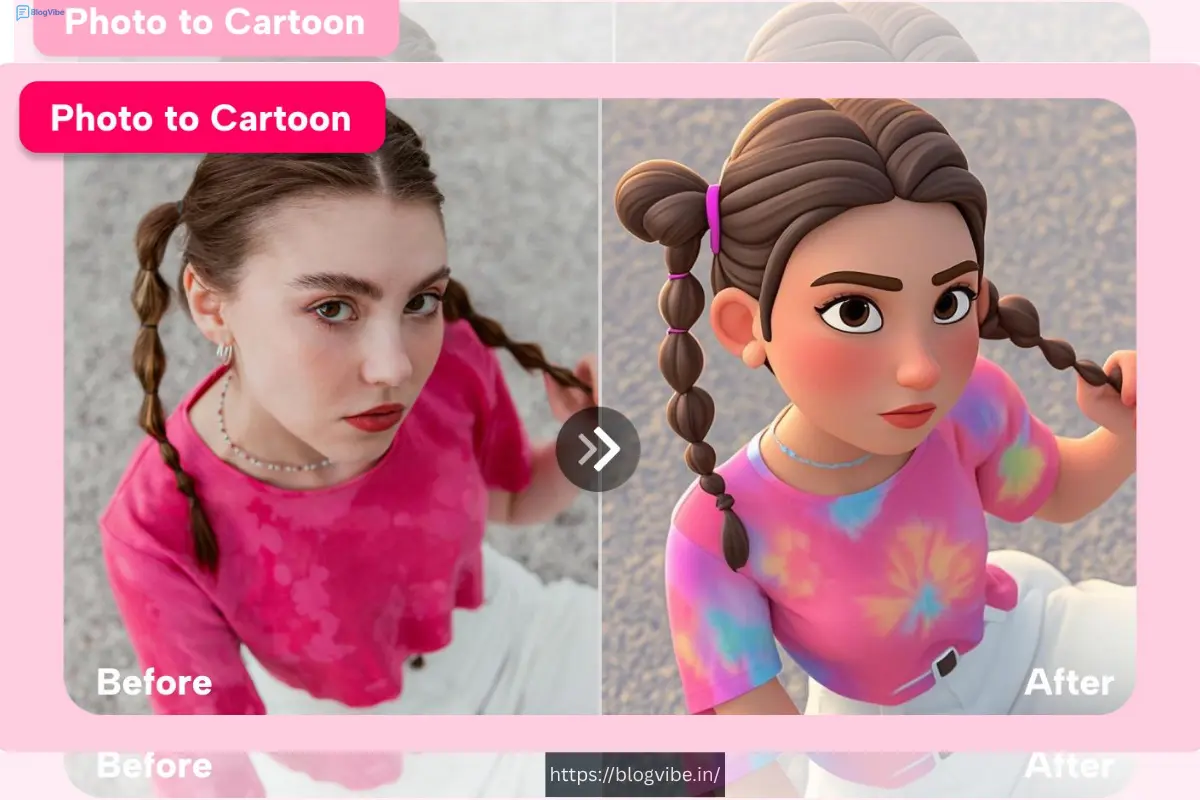
CapCut describes its cartoon generator as a free online tool for converting ordinary photos into cartoon images. It offers different visual styles, including comic and CG effects. (CapCut)
The workflow is simple:
Upload photo → Select cartoon style → Generate → Download
This makes it especially useful for beginners.
Best uses
You can use cartoon images for:
- YouTube thumbnails
- Profile pictures
- Instagram posts
- Shorts
- Memes
- Storytelling
- Character concepts
Best for: Social-media creators and beginners.
3. QuillBot AI Cartoon Generator
QuillBot AI Cartoon Generator is interesting because it allows users to create cartoons from text prompts.
You can describe what you want, select a style and generate the image.
For example:
“A funny cartoon monkey working on a laptop inside a modern office.”
The tool can turn the description into a cartoon-style image. QuillBot currently describes the generator as free and watermark-free. (QuillBot)
Features
- Text-to-cartoon
- Different styles
- Simple interface
- Online generation
- Beginner-friendly
Best for: People who want to create cartoons from an idea rather than editing an existing photograph.
4. Rewind.ai Free AI Cartoon Generator
Rewind.ai AI Cartoon Generator is another option if you want to experiment without paying immediately.
According to Rewind.ai, its cartoon generator is free to use without signing up and provides 2,500 free tokens per day across its tools. (Rewind.ai)
You can enter a prompt such as:
“A cute golden retriever wearing sunglasses and riding a skateboard.”
The generator then creates the cartoon image.
Why try it?
- Free daily tokens
- No sign-up required to start
- Fast generation
- Text prompts
- Easy for experimentation
Best for: Quick cartoon experiments and content ideas.
5. Toonizer – Free Photo to Cartoon
Toonizer AI focuses heavily on converting photographs into cartoon artwork.
The current tool advertises daily free credits, multiple cartoon styles and no-watermark downloads. It supports JPG, PNG, WEBP and GIF uploads up to 10 MB. (Toonizer)
You can upload:
- Selfies
- Family photos
- Pet photos
- Portraits
- Character images
Then choose a style or write your own prompt.
Good for
If your main goal is:
“I have a photo and want to turn it into a cartoon.”
Toonizer is worth testing.
6. Canva AI Cartoon Generator
Canva is another convenient option because it combines AI generation with a complete graphic-design editor.
That means you can create your cartoon and then immediately use it in:
- YouTube thumbnails
- Blog images
- Posters
- Instagram posts
- Presentations
- Social-media graphics
This is particularly useful if you don’t want to move between multiple applications.
For beginners, Canva’s biggest advantage is its editing environment.
7. Leonardo AI
Leonardo AI is better suited to people who want to create original characters and scenes from text prompts rather than simply applying a cartoon filter.
For example:
“A brave young cartoon astronaut exploring an alien planet, colorful 3D animation style, expressive face, cinematic lighting.”
This can be useful for creating a consistent visual concept for a YouTube channel, children’s story or game idea.
A free tier can make it useful for experimenting before paying.
8. Fotor AI Cartoon Generator
Fotor is another popular choice for turning photos into cartoon-style images.
It is particularly simple for users who don’t want to learn complicated AI prompting.
You upload your picture, choose an effect and generate the result.
It’s useful for:
- Profile pictures
- Avatars
- Cartoon portraits
- Social-media posts
- Fun family photos
The free version has limitations, so check the current export options before using it for commercial work.
Text-to-Cartoon vs Image-to-Cartoon
Before choosing a tool, understand the difference.
Text-to-Cartoon
You start with an idea.
Example:
“A funny cartoon cat driving a red sports car through New York.”
The AI creates the scene from your description.
This is best for:
- Original characters
- Children’s stories
- YouTube content
- Comics
- Storyboards
- Creative concepts
Image-to-Cartoon
You start with an existing photograph.
Example:
Upload your selfie → select a cartoon style → generate.
This is best for:
- Profile pictures
- Avatars
- Family photos
- Pet portraits
- Social-media content
If you specifically want to create a cartoon from text, Firefly, QuillBot and other prompt-based generators are more suitable.
How to Create a Cartoon From Text
Creating a cartoon doesn’t require complicated skills.
Step 1: Choose an AI cartoon generator
Start with a free option such as Firefly, QuillBot or Rewind.ai.
Step 2: Write your prompt
Don’t simply write:
“cartoon dog”
Instead, give the AI more information:
“A cute golden retriever wearing a red hoodie, riding a bicycle through a colorful cartoon city, 3D animated style, expressive face, bright lighting, detailed background.”
Step 3: Choose the style
Depending on the tool, you may be able to select:
- 2D
- 3D
- Anime
- Comic
- Cartoon
- Illustration
Step 4: Generate
Click the Generate button and wait for the result.
Step 5: Improve your prompt
If the result isn’t good, add more details.
For example:
“Cute 3D cartoon character, large expressive eyes, smooth animation-style design, colorful clothes, cinematic lighting, detailed background, high-quality digital illustration.”
Best AI Cartoon Prompt Examples
Here are some prompts you can experiment with.
Cute Cartoon Character
A cute 3D cartoon boy wearing a yellow hoodie and sneakers, standing in a colorful futuristic city, expressive face, soft lighting, high-quality animated movie style.
Cartoon Animal
A funny cartoon panda riding a red bicycle through a beautiful forest, colorful 3D cartoon style, expressive face, cinematic lighting.
Cartoon Girl
A young cartoon girl with long brown hair, wearing a pink dress, standing in a magical garden filled with glowing flowers, beautiful 3D animation style.
YouTube Character
A funny cartoon character sitting at a computer and working late at night, exaggerated facial expression, modern bedroom, colorful 3D cartoon style, cinematic lighting.
Can You Use AI Cartoon Images Commercially?
This is an important question if you’re planning to use AI cartoons for YouTube, blogs, affiliate websites or business content.
The answer isn’t identical for every platform.
Some tools allow commercial use under their terms, while others may have restrictions depending on your plan, model or generated content.
For example, Adobe says commercially released Firefly features are designed for commercial use, subject to Adobe’s guidelines. (Adobe)
Before using an image commercially, always check:
- The tool’s current terms.
- Whether commercial use is allowed on the free plan.
- Whether attribution is required.
- Whether the generated image contains a watermark.
- Whether there are restrictions on recognizable characters or trademarks.
This is especially important if you’re creating images for a monetized website or YouTube channel.
Which Is the Best Free AI Cartoon Generator?
There isn’t one tool that’s perfect for everyone.
Best overall: Adobe Firefly
Choose Firefly if you want quality, creative controls and both text and reference-image workflows. (Adobe)
Best for quick free experiments: Rewind.ai
It’s particularly interesting because it advertises free daily tokens and doesn’t require an account to start. (Rewind.ai)
Best for photo-to-cartoon: Toonizer
Good choice if your main goal is converting selfies, pets or other photographs into cartoons. (Toonizer)
Best for social-media creators: CapCut
If you’re already creating Shorts and Reels, CapCut’s cartoon tools fit naturally into a video workflow. (CapCut)
Best for simple text-to-cartoon creation: QuillBot
A straightforward option for entering an idea and generating a cartoon image. (QuillBot)
Final Verdict
The best Free AI Cartoon Generator depends on what you’re trying to create.
If you want to turn a selfie into a cartoon, try Toonizer or CapCut.
If you want to create a cartoon from text, Adobe Firefly and QuillBot are good starting points.
If you want to experiment with free daily AI generation, Rewind.ai is worth checking out.
And if you’re creating content professionally, don’t choose a tool based only on the word “free.” Check image quality, download restrictions, watermarks, commercial rights and free-credit limits before building your workflow around it.
AI cartoon generators have made character creation dramatically easier. What previously required drawing skills and hours of editing can now start with nothing more than a simple sentence.
Type an idea, choose a style, generate your cartoon—and then refine it until it looks exactly how you want.
FAQs (Free AI Cartoon Generator)
1. What is the best Free AI Cartoon Generator?
Adobe Firefly, QuillBot, CapCut, Rewind.ai and Toonizer are some good options. The best choice depends on whether you want text-to-cartoon or photo-to-cartoon generation.
2. Can I create a cartoon from text for free?
Yes. Several AI tools offer free credits or free generations. You can simply describe your character or scene in a text prompt and generate a cartoon image.
3. Can AI turn my photo into a cartoon?
Yes. Tools such as CapCut and Toonizer can transform uploaded photos into different cartoon styles.
4. Can I use AI-generated cartoons commercially?
It depends on the tool and your plan. Always check the current commercial-use terms, licensing rules and restrictions before using AI cartoons for monetized websites, YouTube videos or advertisements.
5. Do I need drawing skills to use an AI cartoon generator?
No. Most AI cartoon generators are designed for beginners. You only need to describe what you want or upload an image, and the AI generates the cartoon for you.

