
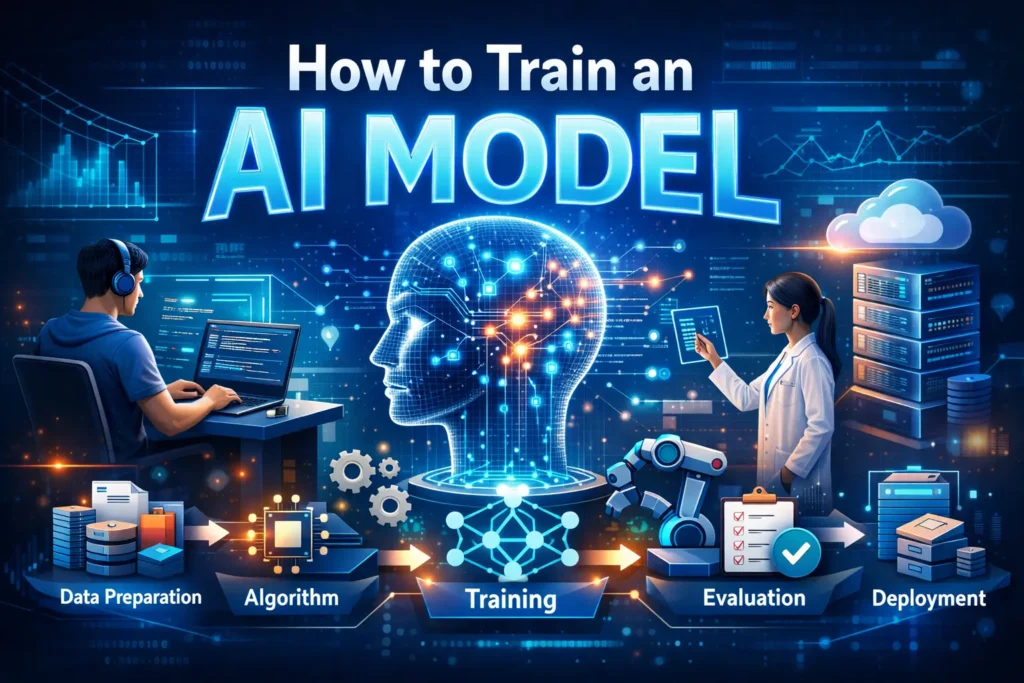
Train an AI Model: Artificial Intelligence is transforming industries, automating workflows, and unlocking powerful insights. At the heart of these innovations lies the AI Model — the engine that learns from data and makes intelligent decisions. Whether you’re a beginner, a developer, or a business owner, understanding how to train an AI model can open doors to automation, analytics, and innovation.
This guide explains the complete process of AI model training, from choosing data to deployment, using practical examples and beginner-friendly explanations.
What Is an AI Model?
An AI Model is a computer program trained on data to recognize patterns, make predictions, or generate content. Instead of being manually programmed with rules, it learns from examples.
Common examples include:
- Spam email filters
- Voice assistants
- Recommendation systems (Netflix, YouTube)
- Self-driving technology
- AI image and text generators
Training an AI model allows it to improve accuracy over time by learning from data.
Why Training AI Models Matters
Training AI models enables computers to:
- Detect fraud and security threats
- Automates customer service with chatbots
- Predict sales and business trends
- Generate art, text, and videos
- Improve healthcare diagnostics
Businesses and individuals are increasingly investing in training an AI model to improve efficiency and decision-making.
Types of AI Model Training
Before you train an AI model, it is important to understand the major learning approaches.
1. Supervised Learning
The model learns from labeled data.
Example:
Emails labeled as spam or not spam.
2. Unsupervised Learning
The model finds patterns without labels.
Example:
Customer segmentation.
3. Reinforcement Learning
The model learns through rewards and penalties.
Example:
Robotics and gaming AI.
4. Deep Learning
Uses neural networks to process complex data like images, audio, and text.
Understanding these approaches helps you choose the right method when training your own AI model.
Step-by-Step Guide: How to Train an AI Model
Step 1: Define the Problem
Start with a clear goal.
Ask:
- What problem am I solving?
- What output do I want?
- Who will use this model?
Examples:
- Predict house prices
- Detect fake reviews
- Generate AI artwork
Clarity at this stage improves the success of AI model training.
Step 2: Collect and Prepare Data
Data is the foundation of any AI training model.
Sources include:
- Public datasets (Kaggle, Google Dataset Search)
- Business records
- APIs
- Web scraping
- Sensors or IoT devices
Data Preparation Includes:
- Cleaning duplicates
- Removing errors
- Handling missing values
- Formatting for consistency
High-quality data significantly improves training AI models.
Step 3: Choose the Right Algorithm
The algorithm determines how the AI model learns.
Popular choices include:
- Linear Regression (prediction)
- Decision Trees (classification)
- Neural Networks (deep learning)
- Support Vector Machines
- Random Forest
For beginners training an AI model, tools like AutoML can help select algorithms automatically.
Step 4: Split the Data
To evaluate performance, divide your dataset:
- Training data (70–80%) → teaches the model
- Validation data (10–15%) → tunes performance
- Test data (10–15%) → measures accuracy
This step ensures the AI model performs well on real-world data.
Step 5: Train the AI Model
Now the model learns patterns from the training data.
During ai model training, the algorithm:
- identifies patterns
- adjusts parameters
- minimizes errors
Training time depends on:
- dataset size
- computing power
- model complexity
Cloud platforms can speed up training AI models significantly.
Step 6: Evaluate Model Performance
After training, evaluate how well your AI model performs.
Common metrics:
- Accuracy
- Precision & Recall
- F1 Score
- Mean Squared Error (MSE)
- Confusion Matrix
If performance is low, you may need better data or tuning.
Step 7: Fine-Tune and Optimize
Fine-tuning improves performance.
Optimization techniques include:
- Hyperparameter tuning
- Feature selection
- Increasing training data
- Adjusting learning rates
- Using regularization
This step is essential when training your own AI model for real-world use.
Step 8: Deploy the AI Model
Once satisfied with performance, deploy the model.
Deployment options:
- Web applications
- Mobile apps
- APIs
- Cloud services
- Edge devices
Monitoring ensures the AI model continues to perform accurately.
Tools and Platforms for AI Model Training
Here are popular tools used for training AI models:
Beginner-Friendly
- Google Teachable Machine
- Microsoft Azure AI Studio
- AutoML platforms
Developer Tools
- TensorFlow
- PyTorch
- Scikit-learn
- Keras
Cloud Platforms
- Google Cloud AI
- AWS SageMaker
- Azure Machine Learning
These tools make training AI models more accessible.
How to Train AI Art Model Free
AI art generators are becoming popular among creators.
If you want to train AI art model free, try:
- Stable Diffusion (open source)
- DreamBooth training
- Runway ML
- Google Colab GPU notebooks
Steps include:
- Collect image datasets
- Train using pre-trained models
- Adjust style settings
- Generate custom artwork
This method allows creators to train AI models without expensive hardware.
Common Challenges in Train an AI Model
Training an AI model is powerful but comes with challenges.
1. Poor Data Quality
Bad data leads to poor predictions.
2. Overfitting
The model memorizes instead of learning.
3. Underfitting
The model fails to learn patterns.
4. Bias in Data
Unfair predictions due to biased datasets.
5. High Computing Costs
Deep learning models require powerful GPUs.
Understanding these issues improves training AI models effectively.
Best Practices for AI Model Training
To build a reliable AI model:
- Use clean and diverse data
- Start with simple models
- Avoid overfitting with validation
- Monitor performance regularly
- Document training steps
- Ensure ethical and responsible AI usage
These practices improve trust and reliability.
Real-World Applications of AI Models
AI models are transforming industries:
Healthcare
- Disease detection
- Medical imaging analysis
Finance
- Fraud detection
- Risk assessment
Retail & E-Commerce
- Personalized recommendations
- Demand forecasting
Education
- Smart tutoring systems
Security
- Face recognition
- Threat detection
Training AI models enables smarter solutions across sectors.
Future of AI Model Training
The future of training AI models includes:
- Automated machine learning (AutoML)
- AI models training other AI models
- Edge AI for real-time decisions
- Low-code AI development
- Responsible and explainable AI
As technology evolves, training your own AI model will become easier and more powerful.
Final Thoughts
Learning how to train an AI Model is a valuable skill in today’s technology-driven world. From data preparation and algorithm selection to evaluation and deployment, each step plays a vital role in building accurate and reliable AI systems.
Whether you’re a beginner exploring AI, a developer building intelligent applications, or a business aiming to automate processes, understanding AI model training empowers you to create smarter solutions.
Start small, experiment with tools, and continuously improve your model. With the right approach and quality data, you can train an AI model that delivers real-world impact.

