
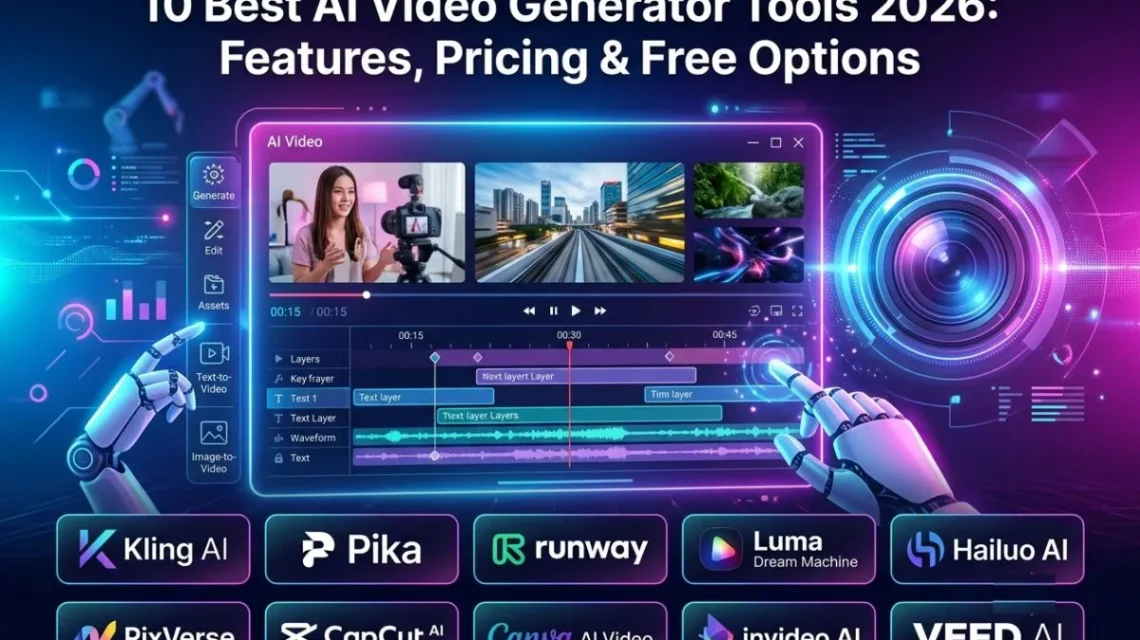
10 Best AI Video Generator Tools 2026: AI video generator tools are bringing a big revolution in the video content industry. Where is video content often takes a lot of time for proper shoots, editing, and other tasks. On the other hand, through AI tools, this work has become effortless. In less time and with less effort, AI creates a video that covers all kinds of shots with perfect timing. So, if you want cinematic and Realistic Scenes, Animated Shorts and Cartoons, talking heads and AI Avatars, Marketing and Social Media Clips, Music Videos, and other types of videos. The AI video generator makes all of these types of videos possible.
In the market, a lot of AI video generator tools are available. Not all video generator tools are available to give better output. So, if you are also confused about choosing the right AI video content generator tools for your business and other purposes. Then this guide is for you. In this guide, we will cover in detail the 10 best AI video generator tools. Also, covering how these tools make your work easy and efficient.
10 Best AI Video Generator Tools 2026 : Brief Details
A lot of AI video generator tools are introduced each year in the global market, but not every tool is able to give all kinds of output to the user. Here is a list of some of the top trending AI video generator tools for 2026. These may reduce your time and make your work easier.
| AI Video Generator | Best For | Text-to-Video | Image-to-Video | Free Option |
| Kling AI | Realistic videos | ✅ | ✅ | Yes |
| Pika | Creative effects | ✅ | ✅ | Yes |
| Runway | Professional videos | ✅ | ✅ | Yes |
| Luma Dream Machine | Cinematic videos | ✅ | ✅ | Yes |
| Hailuo AI | Realistic/creative videos | ✅ | ✅ | Yes |
| PixVerse | Social videos | ✅ | ✅ | Yes |
| CapCut AI | Shorts & Reels | ✅ | ✅ | Yes |
| Canva AI Video | Marketing content | ✅ | — | Yes |
| InVideo AI | Faceless videos | ✅ | — | Yes |
| VEED AI | Video editing + AI | ✅ | — | Yes |
How We Tested the Best AI Video Generators
To check the quality of the 10 Best AI Video Generators, we chose the factors given below. Some of them are outlined below:
Video Quality: I considered realism, resolution, motion quality, cinematic appearance, and character consistency.
AI Video Features: The important features include text-to-video, image-to-video, video-to-video, AI avatars, voiceovers, automatic editing, captions, and templates.
Ease of Use: A powerful AI video generator is not useful if beginners need hours to understand it. I considered the interface, prompting process, learning curve, and overall workflow.
Free Plan & Pricing: I also looked at free credits, watermarks, resolution restrictions, commercial-use limitations, and monthly subscriptions. AI video pricing changes frequently, so always check the provider before purchasing.
Best Use Cases: I considered YouTube videos, Shorts and Reels, advertising, product videos, cinematic content, and educational videos.
10 Best AI Video Generator Tools 2026
Here is a list of the 10 best AI video generators of 2026, outlined below. These trending AI tools not only provide you with the best-quality video in a few steps, but also help you increase your earnings.
1. Kling AI: Best AI video generator for realistic and cinematic AI videos.
Kling AI has become one of the strongest options for realistic AI video. Its newer models focus on multimodal generation, reference consistency, multi-shot storytelling, and native audio.
Key Features
- Text-to-video and image-to-video
- Character and element consistency
- Multi-shot storytelling
- Native audio
- Camera and motion control
- High-resolution generation
Kling AI Pricing & Free Plan
Kling offers a free tier, but current free usage is limited and commercial-use restrictions can apply. Its paid system is credit-based, with cost depending on model, duration, resolution, and features.
Pros & Cons
Pros: Excellent realism, strong motion, good consistency, native audio.
Cons: Credits can disappear quickly; advanced controls require experimentation.
Who Should Use Kling AI?
I would choose Kling for filmmakers, YouTubers, advertisers,s and creators who prioritize realistic characters and cinematic scenes.
Verdict
My take: Kling is one of my first choices when realism matters more than simplicity.
Pika: Best for creative AI effects and short-form social content.
Pika focuses heavily on creative video generation and visual effects. I find it particularly useful for social-media content where unusual effects can make a short clip stand out.
Key Features
- Text-to-video
- Image-to-video
- AI effects
- Creative transformations
- Multiple AI models
- Image and audio generation
Pika Pricing & Free Plan
Pika has a free option with 0 recurring monthly credits, while paid plans start at $10/month for 900 credits. The Creator plan is $35/month for 3,150 credits.
Pros & Cons
Pros: Creative effects, easy experimentation, multiple models.
Cons: Free users don’t receive recurring monthly credits; heavy usage can become expensive.
Who Should Use Pika?
I would use Pika for Reels, Shorts, memes, social posts, and creative experiments.
Verdict
My take: Pika is less about traditional filmmaking and more about creating attention-grabbing visual content quickly.
3. Runway: Best AI video generator for professional and cinematic production
Runway is designed around a broader professional creative workflow. Its Gen-4 model requires an input image and supports 5- and 10-second generations.
Key Features
- Text and image-based workflows
- Cinematic generation
- References
- Generative editing
- Professional creative tools
- Multiple AI models
- Text-to-Video & Image-to-Video
What I like about Runway is the amount of control I get from starting with an image. It is particularly useful when I want a specific composition or character rather than leaving everything to text prompting.
Runway Pricing & Free Plan
Runway’s free plan currently includes 125 one-time credits and watermarked videos. Paid plans provide recurring monthly credits, with Standard at 625 and Pro/Unlimited at 2,250 credits.
Pros & Cons
Pros: Professional workflow, strong cinematic results, excellent controls.
Cons: Credit usage can be high; advanced features take time to learn.
Who Should Use Runway?
I recommend it for filmmakers, agencies, professional YouTubers, and commercial creators.
Verdict
My take: Runway remains one of the tools I would seriously consider for professional AI filmmaking.
4. Luma Dream Machine: Best for cinematic AI video generation
Luma Dream Machine is built around high-quality generative video and cinematic motion. Its newer Ray models have focused on improving consistency, prompt adherence, and output quality.
Key Features
- Text-to-video
- Image-to-video
- Keyframes
- Video-to-video
- Modify Video
- Cinematic motion
- High-resolution output
Video Quality
I particularly like Luma when I want natural-looking movement and cinematic shots rather than simple animated images.
Luma Pricing & Free Plan
Luma offers limited free usage, while paid plans increase credits, resolution, and commercial capabilities. Pricing can change as new models are introduced, so I would check its current plan before subscribing.
Pros & Cons
Pros: Cinematic output, strong movement, creative controls.
Cons: High-quality generations consume credits quickly.
Who Should Use Luma?
I would choose Luma for filmmakers, advertisers, product visualization, and cinematic storytelling.
Verdict
My take: Luma is one of my preferred options when visual quality is the main priority.
5. Hailuo AI: Best for realistic AI-generated scenes and creative videos.
Hailuo AI, developed by MiniMax, has become a serious competitor in AI video generation, particularly for realistic movement and expressive characters.
Key Features
- Text-to-video
- Image-to-video
- Character consistency
- Motion control
- Realistic physical movement
- Audio-enabled generation on newer models
Hailuo AI Pricing & Free Plan
Hailuo provides free access with limitations, while paid plans use credits for higher-volume and advanced generation.
Pros & Cons
Pros: Realistic movement, expressive characters, good image-to-video results.
Cons: Credit consumption can be significant.
Who Should Use Hailuo AI?
I would use it for advertisements, social content, character videos, and creative storytelling.
Verdict
My take: Hailuo is a tool I would keep in my AI-video toolkit when realistic movement is important.
6. PixVerse: Best For Social Media Creators And Viral-Style AI Videos
PixVerse combines AI video generation with templates, effects, and access to multiple models.
Key Features
- Text-to-video
- Image-to-video
- AI effects
- Templates
- Reference-based generation
- Multiple models
- Batch creation
AI Effects & Templates
This is where PixVerse stands out for me. I can quickly turn an idea into a social-ready visual without building an entire cinematic workflow.
PixVerse Pricing & Free Plan
PixVerse provides free daily credits. Its current Standard plan lists $10/month monthly or $8/month when billed annually, while Pro is $30/month or $24/month annually.
Pros & Cons
Pros: Social-focused, creative effects, multiple models, daily free credits.
Cons: Credit consumption varies considerably by model and quality.
Who Should Use PixVerse?
I would recommend it for TikTok, Reels, Shorts, and social-media marketers.
Verdict
My take: PixVerse is particularly useful when I need to produce short-form content quickly.
7. CapCut AI: Best AI Video Generator For Reels, Shorts And Social Media Editing
I see CapCut less as a pure AI generator and more as an AI-powered video production platform.
Key AI Features
- AI video generation
- Auto captions
- AI effects
- Text-to-speech
- Background removal
- Templates
- Automatic editing
- Social-media formatting
CapCut AI Pricing & Free Options
CapCut provides free and paid options, although pricing and AI allowances can vary by region and platform.
Pros & Cons
Pros: Easy to use, excellent templates, strong social editing.
Cons: Advanced features may require Pro; it is not primarily a cinematic filmmaking tool.
Who Should Use CapCut AI?
I would choose it for Reels, Shorts, TikTok, and fast promotional content.
Verdict
My take: For social media, CapCut is extremely practical because generating footage is only half the job—editing it is equally important.
8. Canva AI Video: Best for beginners, marketers and branded content
Canva combines AI video generation with its existing design and branding ecosystem.
Key Features
- AI video generation
- Templates
- Brand Kits
- AI voice
- Animations
- Video editing
- Social-media formats
Templates & Brand Tools
This is Canva’s biggest advantage for me. I can combine AI-generated content with logos, brand colors, fonts, and marketing designs in one workflow.
Canva AI Video Pricing & Free Options
Canva has a free plan with limited AI usage, while paid plans provide larger AI allowances and additional features.
Pros & Cons
Pros: Beginner-friendly, excellent branding tools, strong templates.
Cons: Less cinematic control than specialist AI-video platforms.
Who Should Use Canva?
I would recommend Canva to bloggers, marketers, small businesses, students, and beginners.
Verdict
My take: Canva is ideal when I need a branded marketing video rather than a cinematic film.
9. InVideo AI: Best for creating faceless YouTube videos and marketing content
InVideo AI focuses on turning prompts and scripts into complete videos rather than simply generating individual clips.
Key Features
- Prompt-to-video
- AI scripts
- AI voiceovers
- Stock footage
- AI-generated visuals
- Timeline editing
- Subtitles
- Marketing videos
InVideo AI Pricing & Free Plan
InVideo has a free option, while current paid plans include Starter, Plus,s and Max. Its current pricing lists Starter from $20/seat/month when billed annually, with credit-based generation.
Pros & Cons
Pros: Excellent for faceless YouTube, fast script-to-video workflow.
Cons: Less control over individual cinematic shots; AI-generated content often needs editing.
Who Should Use InVideo AI?
I would use it for faceless YouTube channels, explainers, blogs-to-video, and marketing.
Verdict
My take: If my goal is to create an entire video quickly, InVideo makes more sense than a pure cinematic generator.
10. VEED AI: Best for AI video creation combined with online video editing
VEED combines AI generation with browser-based video editing, subtitles, avatars, and voice tools.
Key Features
- AI video generation
- AI avatars
- Voice generation
- Auto subtitles
- Translation
- Background removal
- Online editing
- Multiple AI models
AI Editing & Subtitles
I particularly like VEED when I want to generate content and immediately turn it into a publishable video with captions, voice, and branding.
VEED AI Pricing & Free Options
VEED offers free and paid plans, with AI generation using credits. The exact AI allowance depends on the current plan.
Pros & Cons
Pros: All-in-one workflow, strong subtitles, simple editing.
Cons: Advanced AI features require credits or paid plans.
Who Should Use VEED AI?
I would recommend it to marketers, YouTubers, educators, agencies, and social-media teams.
Verdict
My take: VEED is a practical choice when I don’t want to switch between several different video tools.
My Take on the AI Video Market in 2026
As we know, industries use best AI video generator tools that not only help solve critical problems. Additionally, it saves the cost of a complete setup from scratch. Through the top 10 AI tool generators, you can maintain character consistency and do different tasks, including reference images, multi-shot storytelling, editing, and more, in a very simple way.
For cinematic work, I would start with Kling, Runway, or Luma. For social content, I would look at Pika, PixVerse, or CapCut. For marketing and branded content, Canva is particularly practical. For faceless YouTube, I would consider InVideo, while VEED is attractive for an all-in-one editing workflow.
The AI-video market is moving extremely quickly, so pricing and model availability can change frequently. For that reason, I recommend checking the official pricing page before purchasing any subscription.
Final Verdict: Which AI Video Generator Should You Choose?
In the final section of the blog, if you are planning to build a workflow, then I suggest you choose Kling AI, Luma, or Runway. These AI tools are best for visual quality and cinematic generations.
If you are planning for social media content, then you should use Pika, CapCut, and PixVerse. If you are looking for the best tool that helps you with business purposes, beginner-friendly production, and other marketing, then choosing Canva, VEED, and InVideo AI is the best for you.
It is important to check the market price before using these 10 best AI video generator tools. I personally recommend that, as a fresher, you may have to choose only free plans.
Note: The price of paid AI video generator tools can change timely. So ensure the final price before the taking premium any AI tools. For latest update follow the blogvibe and increase your tech knowledge.
Frequently Asked Questions About AI Video Generators
Que: What Is The Best AI Video Generator In 2026?
Ans: It depends on the project. Runway, Kling AI, Luma, Pika, PixVerse, CapCut, Canva, InVideo, VEED, and Hailuo all target somewhat different workflows.
Que: What Is The Best Free AI Video Generator?
Ans: There isn’t one universally best free option. Compare credits, watermarks, resolution, commercial rights, and available features before choosing.
Que: Which AI Video Generator Is Best For Beginners?
Ans: Canva and CapCut are among the easiest options for beginners because they combine AI features with familiar editing workflows.
Que: Can AI Generate A Video From Text?
Ans: Yes. Text-to-video technology can convert a written prompt into an AI-generated video clip.
Que: Can AI Video Generators Create Realistic Videos?
Ans: Yes. Modern AI video models can create increasingly realistic people, environments, camera movements, and cinematic scenes, although consistency and accuracy can still vary.
Que: Which AI Video Generator Is Best For YouTube?
Ans: InVideo AI is particularly useful for script-based and faceless YouTube workflows, while Runway and other generative-video platforms can be useful for custom visual footage.
Que: Can I Use AI-Generated Videos Commercially?
Ans: It depends on the platform, plan, model, and content. Always read the current commercial-use and licensing terms before using AI-generated material for client work or monetized content.
Que: Do AI Video Generators Have Free Plans?
Ans: Many do, but their free options differ. Some provide credits, some offer limited generations, and others restrict resolution or add watermarks.
Que: Which AI Video Generator Has No Watermark?
Ans: This depends on the plan. Some platforms offer watermark-free exports only on paid plans, so check the current subscription terms before relying on a free tier.
Que: How Much Does an AI Video Generator Cost?
Ans: Pricing ranges from free tiers to professional subscriptions costing substantially more. For example, Runway’s current paid plans start at $15/month when billed monthly, while PixVerse Standard is currently listed at $10/month monthly.