
Gemini AI Photo Editor: Artificial intelligence has completely changed the way people edit photos online. Earlier, professional photo editing required expensive software like Adobe Photoshop or advanced editing skills. Today, AI tools make it possible for anyone to enhance and transform photos in seconds.
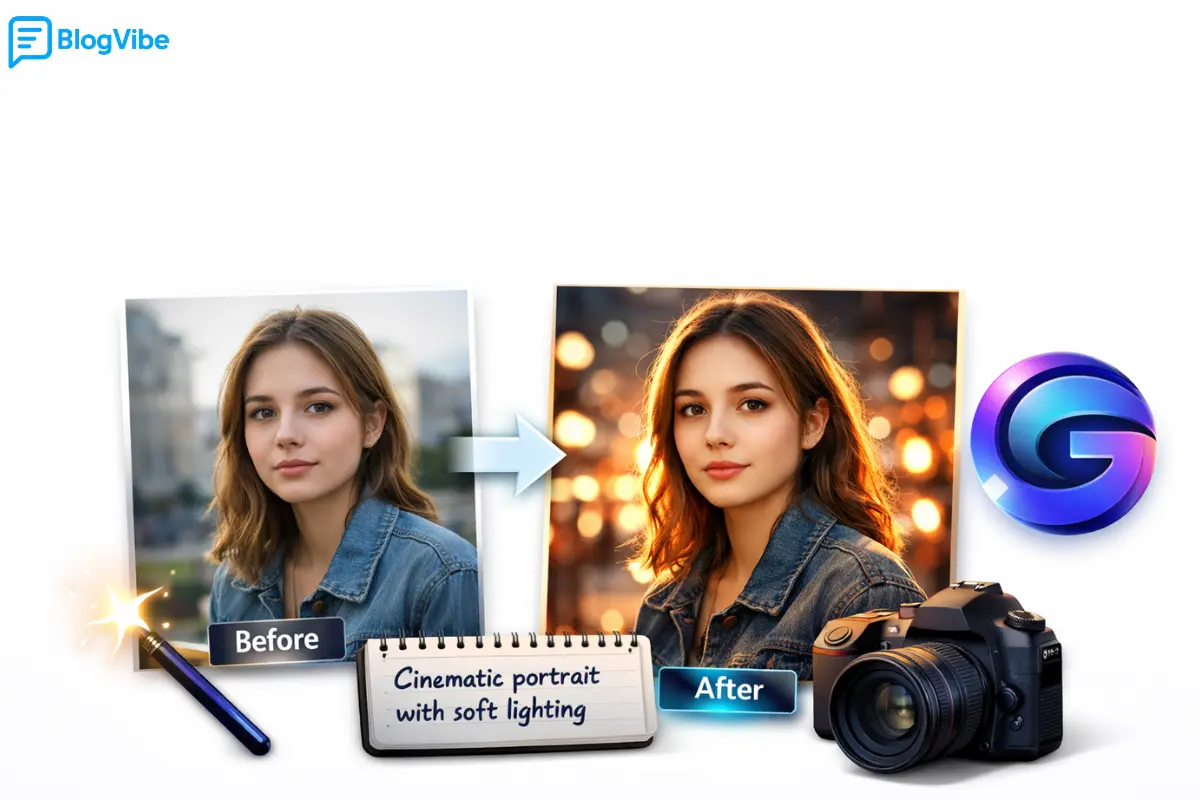
One of the most powerful tools in this space is Google Gemini. With the Gemini AI Photo Editor, you can improve image quality, change styles, generate artistic photos, and even create cinematic images using simple text prompts.
In this complete guide, you’ll learn how the Gemini AI Photo Editor works, how to write effective prompts, and how to use it for professional-quality photo editing.
What is Gemini AI Photo Editor?
The Gemini AI Photo Editor refers to the AI-powered image editing capabilities inside Google Gemini. Instead of manually adjusting brightness, contrast, or filters, you simply describe what you want, and the AI edits the image automatically.
For example, you can give commands like:
- “Make this photo cinematic with dramatic lighting”
- “Enhance the photo and make colors vibrant”
- “Turn this image into a professional portrait”
The AI understands the request and produces a new edited version of your photo.
This makes Google Gemini AI photo editing perfect for:
- Bloggers
- Content creators
- Social media influencers
- Online sellers
- Beginners with no editing experience
Key Features of Gemini AI Photo Editor
1. AI Photo Enhancement
One of the most popular features is the Gemini AI photo enhancer. It automatically improves:
- Image sharpness
- Lighting and exposure
- Color balance
- Skin tone in portraits
This is especially useful for old or low-quality photos that need quick improvement.
2. AI Style Transformation
With a simple prompt, you can transform a normal photo into different artistic styles such as:
- Cinematic photography
- Anime-style images
- Studio portraits
- Fantasy or cinematic scenes
Instead of manually editing layers, Gemini AI generates the entire style automatically.
3. Text Prompt Based Editing
The biggest advantage of Gemini AI photo editing is prompt-based editing.
You simply write instructions like:
“Make this photo look like a professional DSLR portrait with soft lighting and blurred background.”
Gemini understands the prompt and edits the photo accordingly.
This method saves time and produces creative results.
How to Use Google Gemini AI Photo Editing (Step-by-Step)
Even beginners can use this tool easily. Follow these steps to edit photos with Gemini AI Photo Editor.
Step 1: Open Google Gemini
Visit the official Google Gemini platform in your browser or mobile app.
Log in using your Google account.
Step 2: Upload Your Image
Upload the photo you want to edit.
You can upload:
- Selfies
- Portraits
- Product images
- Landscape photos
- Social media pictures
Step 3: Write a Prompt
Now type a clear instruction describing what you want to change in the image.
For example:
“Enhance this image with soft lighting, sharp focus, and cinematic color grading.”
Step 4: Generate the Edited Image
Gemini processes the prompt and generates a new edited image.
If you want different results, simply modify the prompt and regenerate the image.
Gemini AI Photo Editing Prompts (Best Examples)
Writing a good prompt is the key to getting amazing results.
Here are some Gemini AI photo editing prompts you can try.
Basic Photo Enhancement Prompt
Enhance this photo with natural lighting, sharp details, vibrant colors, and professional photography style.
Cinematic Portrait Prompt
Transform this portrait into a cinematic photo with dramatic lighting, depth of field, and film-style color grading.
Social Media Influencer Style Prompt
Make this image look like a professional Instagram influencer photo with bright lighting, smooth skin tone, and trendy background.
AI Fashion Photography Prompt
Convert this photo into a high-fashion magazine style image with studio lighting and elegant color tones.
These prompts work well for content creators who want visually attractive images.
Gemini AI Photo Prompt Copy Paste for Girl
Many users search for Gemini AI photo prompt copy paste for girl to create stylish portraits.
Here are some ready-to-use prompts.
Trending Girl Portrait Prompt
Create a cinematic portrait of a beautiful girl with soft golden lighting, natural skin tones, blurred background, and DSLR photography style.
Instagram Influencer Girl Prompt
Generate a trendy Instagram influencer style portrait of a girl with modern fashion outfit, vibrant colors, and soft aesthetic lighting.
Elegant Portrait Prompt
Transform the image into an elegant portrait of a girl with soft studio lighting, realistic skin texture, and luxury photography look.
These prompts are popular for social media and blog images.
Prompt for Gemini AI Girl Style Trending
If you want viral-looking images, trending prompts work best.
Try this prompt for Gemini AI girl style trending:
Create a trending cinematic portrait of a stylish girl standing in a modern city at night with neon lights, dramatic shadows, and ultra-realistic photography style.
This style is widely used for:
- Instagram posts
- YouTube thumbnails
- AI art portfolios
- Blog featured images
Tips for Writing Better Gemini AI Photo Editing Prompts
To get the best results from Gemini AI Photo Editor, follow these tips.
1. Be Specific
Instead of writing:
“Make this photo better”
Write:
“Enhance the image with natural lighting, sharp focus, and cinematic color tones.”
Clear instructions give better results.
2. Mention Lighting
Lighting dramatically affects the image.
Examples:
- Soft lighting
- Golden hour lighting
- Studio lighting
- Neon lighting
3. Add Camera Style
Professional camera styles improve realism.
Examples:
- DSLR photography
- 50mm portrait lens
- Depth of field
- Bokeh background
4. Use Artistic Styles
You can experiment with styles like:
- Cinematic
- Anime
- Fantasy
- Vintage photography
This helps create unique images.
Benefits of Using Gemini AI Photo Editor
There are many reasons why creators are switching to Gemini AI Photo Editor.
Easy for Beginners
You don’t need professional editing knowledge.
Just write prompts and Gemini does the work.
Saves Time
Manual editing can take hours.
AI editing produces results in seconds.
Professional Results
The AI understands lighting, composition, and color grading.
This helps produce high-quality images.
Unlimited Creativity
You can experiment with different prompts and styles without limits.
This is perfect for content creators and bloggers.
Limitations of Gemini AI Photo Editing
Although powerful, there are some limitations.
Prompt Quality Matters
Poor prompts may produce average results.
Learning prompt writing improves the outcome.
Not a Full Photoshop Replacement
Advanced editing tasks may still require professional tools like Adobe Photoshop.
However, for quick edits, Gemini works extremely well.
The Future of AI Photo Editing
AI image editing tools are evolving rapidly. Platforms like Google Gemini are continuously improving their capabilities.
In the near future, AI tools will likely offer:
- Real-time image editing
- Advanced AI photo restoration
- AI-generated backgrounds
- Automatic photography styles
This means photo editing will become even faster and more creative.
Conclusion
The Gemini AI Photo Editor is a powerful tool that makes photo editing simple, fast, and creative. With the help of Google Gemini AI photo editing, anyone can enhance images, create cinematic portraits, and experiment with different visual styles using simple text prompts.
Whether you’re a blogger, social media creator, or beginner, the Gemini AI photo enhancer can help you produce professional-looking photos without expensive software or advanced editing skills.
By learning how to write effective Gemini AI photo editing prompts, you can unlock the full potential of this AI tool and create stunning images for your projects.
FAQ
1. What is Gemini AI Photo Editor?
The Gemini AI Photo Editor is an AI-powered editing tool within Google Gemini that allows users to edit and enhance images using text prompts.
2. Is Gemini AI photo editing free?
Basic features of Google Gemini AI photo editing are available for free, but some advanced capabilities may require premium access.
3. What are Gemini AI photo editing prompts?
Prompts are text instructions used to guide the AI on how to edit an image, such as enhancing lighting, changing styles, or creating cinematic effects.
4. Can I create AI portraits using Gemini?
Yes, you can generate stylish portraits using prompts like Gemini AI photo prompt copy paste for girl or other creative prompt styles.
5. How can I get better results with Gemini AI Photo Editor?
Use detailed prompts that describe lighting, style, camera effects, and mood. Clear instructions help Gemini generate higher-quality images.
Spooky Halloween Night AI Photo Prompts for Creepy and Cinematic Images

