
AI video creation has changed dramatically in recent years. You no longer need an expensive camera, studio, actor, microphone, or professional editing team to produce polished videos. Platforms such as HeyGen allow creators and businesses to turn scripts, prompts, images, and existing footage into videos using AI avatars, synthetic voices, and automated editing.
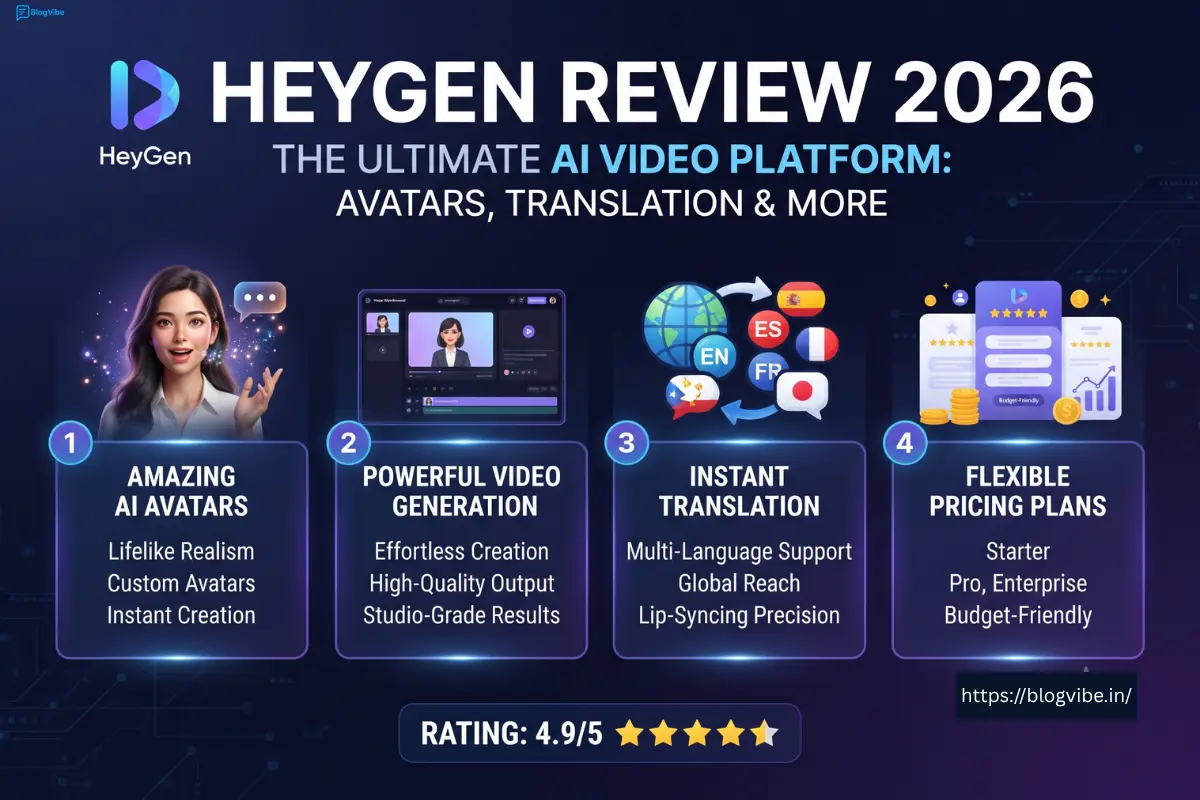
But with so many AI video tools available, one important question remains: Is HeyGen actually worth using in 2026?
In this detailed HeyGen review 2026, we will look at the HeyGen AI video generator, pricing, avatars, video translation, login process, promo-code options, pros and cons, and the best plan for different users.
Last Updated: August 27, 2026
What Is HeyGen?
HeyGen is an AI video creation platform designed to help users make professional-looking videos without traditional filming. You can create a video from a script or prompt, select an AI presenter, choose a voice, customize the scene, and generate the final video from your browser.
The platform is designed for creators, marketers, educators, sales teams, businesses, and anyone who needs to produce videos at scale.
HeyGen’s official AI video generator can turn a script, URL, or creative idea into a finished video, combining avatars, voiceovers, B-roll, and captions in one workflow. It is specifically designed to reduce the need for cameras, crews, and complex editing software.
Some common HeyGen use cases include:
- YouTube videos
- Product demonstrations
- Marketing videos
- Online courses
- Training videos
- Social media content
- Sales presentations
- Multilingual videos
- AI spokesperson videos
The biggest advantage is speed. Instead of recording yourself every time you need a new video, you can modify your text and generate a new version.
HeyGen AI Video Generator
The HeyGen AI video generator is the platform’s central feature.
You can begin with an idea, script, URL, or other content and allow HeyGen’s AI system to generate a complete video. The platform can combine an AI avatar, voice, B-roll, captions, and other visual elements into the final output.
This makes HeyGen particularly useful for creators who want to publish frequently.
How the HeyGen AI Video Generator Works
The basic workflow is simple:
Idea or script → AI avatar → voice → scenes → generate → review → export
You can start by writing your script or prompt. Then choose an avatar and voice that match your content. After customizing the scenes, HeyGen generates the video.
The platform also supports script-to-video workflows where you can paste a script, upload a PDF, or provide a link, and the system helps create a presenter-led video. HeyGen says its avatar workflow can produce finished videos in minutes, with lip-sync included.
For beginners, this is much easier than learning a traditional editing application.
HeyGen Avatar: Are the AI Presenters Realistic?
One of HeyGen’s biggest selling points is its AI avatar technology.
HeyGen currently advertises more than 1,100 AI avatars. Users can choose presenters from different appearances and styles, assign a script, select a voice, and generate a talking video.
The platform also supports custom avatars. This allows you to create a digital version of yourself or another authorized person for repeated use.
According to HeyGen, its custom avatar system can create a personalized digital presenter from a short recording, while its photo-avatar tools can transform a front-facing photograph into a talking avatar.
Why HeyGen Avatars Are Useful
AI avatars can be helpful when you need a consistent presenter but do not want to record yourself for every video.
For example, a YouTube creator could create an avatar once and use it for:
- Tutorials
- Educational videos
- Product reviews
- News-style videos
- Marketing content
- Short-form videos
Businesses can also use custom avatars for internal training, sales presentations, onboarding, and customer education.
HeyGen says its avatars can also be localized into many languages, allowing the same digital presenter to be used across multiple markets.
HeyGen Translate Video: Translate Your Content Into Other Languages
Another major feature is HeyGen Translate Video.
Instead of manually recording your video again in another language, HeyGen allows you to translate existing videos and YouTube links. Its official translation platform currently advertises support for 175+ languages and dialects, along with AI voices, subtitles, voice cloning, and lip-syncing.
This is particularly valuable for creators who want to reach an international audience.
What Does HeyGen Video Translation Do?
HeyGen’s translation workflow can:
- Translate spoken content
- Generate an AI voice in the target language
- Add subtitles
- Synchronize lip movements
- Preserve the speaker’s voice characteristics
- Localize existing video content
HeyGen says users can upload an existing video or paste a YouTube link and translate the content while preserving the original speaker’s voice, expressions, and lip movements.
That is an important difference from simple subtitle tools.
How to Translate a Video With HeyGen
The process is straightforward:
Upload video or add YouTube link → choose language → review translation → generate → export
This makes it possible to create localized versions of existing videos without a new recording session.
However, AI translation should still be reviewed before publishing, especially for technical, medical, legal, or brand-specific content. Translation quality can vary depending on the language, pronunciation, terminology, and original audio.
HeyGen Pricing 2026
Now let’s discuss one of the most important questions: How much does HeyGen cost?
According to this platform current official pricing information, there are Free, Creator, Pro, and Business options, with Enterprise available for organizations requiring custom arrangements.
| Plan | Current Price | Main Highlights |
| Free | $0/month | 3 videos/month, up to 1 minute |
| Creator | $29/month | 600 credits, videos up to 30 minutes |
| Pro | $49/month | 1,000 credits, 4K export |
| Business | $149/month | 1,500 credits, team features |
this platform official pricing page currently lists the Creator plan at $29/month, with 600 credits and videos up to 30 minutes. Pro is currently $49/month, with 1,000 credits and 4K export. Business starts at $149/month, with additional seats available at $20 per seat.
HeyGen Free Plan
The Free plan is a useful way to test the platform without paying.
HeyGen currently lists:
- 3 videos per month
- Videos up to 1 minute
- Access to Avatar IV
- 500+ stock digital twins
- 1 custom digital twin
- 30+ languages
The Free plan is best for beginners who want to experiment with AI video generation before purchasing a subscription.
HeyGen Creator Plan
The Creator plan is arguably the most practical option for many individual users.
For $29/month, this platform currently lists:
- 600 credits
- Videos up to 30 minutes
- 1080p export
- Extended Avatar IV video generation
- Fast processing
- Unlimited Photo Avatars
- Watermark removal
- Voice cloning
- 175+ languages and dialects
- Credit rollovers
For YouTube creators, freelancers, educators, and marketers, Creator offers a significant upgrade over the Free plan.
HeyGen Pro Plan
The Pro plan currently costs $49/month and is aimed at advanced creators.
It includes 1,000 credits, 4K export, faster processing, unlimited Photo Avatars, watermark removal, and additional features such as translation-script editing and access to advanced AI models.
If video quality is important to you or you create content professionally, Pro may make more sense than Creator.
HeyGen Business Plan
Business is designed for teams and organizations.
The current plan lists 1,500 credits and video generation up to 60 minutes, with additional seats available for $20 each. It is more appropriate for companies than solo creators.
HeyGen Login: How to Sign In
The this platform login process is simple because the platform works from your web browser.
To access your account, visit the official this platform website and select the sign-in option. Use the credentials or supported sign-in method associated with your account.
If you have trouble logging in, check:
- Whether you are using the correct email
- Your password
- Your internet connection
- Browser compatibility
- Browser extensions
- Whether you are visiting the official this platform website
Avoid entering your account details on unofficial websites that promise free this platform accounts or premium access.
HeyGen Promo Code: Can You Get a Discount?
The keyword this platform promo code has strong commercial intent because people searching for it are usually ready to purchase.
However, coupon codes can expire or be restricted to certain users, regions, or billing plans. Therefore, you should not trust every discount code published by random coupon websites.
Before subscribing, compare the current official options, including:
- Monthly billing
- Annual billing
- Official promotions
- Legitimate partner offers
- Available introductory discounts
this platform official FAQ currently says the Creator plan is $29/month or $24/month when billed annually, while Pro is $49/month.
The safest approach is to verify any this platform promo code on the checkout page before assuming the discount is active.
HeyGen Voice and Voice Cloning
AI avatars are only useful when they sound convincing. this platform therefore combines its avatars with AI-generated voices and voice cloning.
Its current avatar information says users can choose from 300+ ready-made voices and can recreate their own voice with consent.
Voice cloning can be especially useful for creators who want their AI avatar to maintain a consistent personal brand.
For example, a creator could write a new script every week and have the same digital avatar deliver it using a cloned voice.
As with any voice-cloning technology, users should only clone voices they have the right and permission to use.
HeyGen Pros and Cons
Pros
Easy to use: The browser-based workflow is much simpler than traditional video production.
Large avatar library: this platform advertises more than 1,100 AI avatars.
Multilingual support: The platform supports 175+ languages and dialects across its video and translation features.
Excellent translation workflow: Existing videos and YouTube links can be translated with AI voice and lip-sync.
Custom avatars: You can create a personalized AI presenter instead of relying only on stock avatars.
No camera required: Useful for creators who do not want to appear on camera.
Cons
Paid plans can become expensive: Heavy users may need higher tiers.
Credits require attention: Your available production capacity depends on how credits are consumed.
AI output is not perfect: Voice, translation, expressions, pronunciation, or lip-sync may occasionally require corrections.
Not ideal for every video style: Cinematic storytelling, advanced motion graphics, or highly customized editing may still require dedicated video software.
Who Should Use HeyGen?
this platform is a strong option for people who want to create professional presenter-based videos quickly.
It is particularly useful for:
YouTubers: Create videos without appearing in front of a camera.
Businesses: Produce product explainers, presentations, and training videos.
Educators: Turn scripts and lessons into presenter-led educational videos.
Marketers: Create promotional videos and personalized content at scale.
International creators: Translate existing videos into multiple languages.
Freelancers: Create videos for clients without building a complete production setup.
For users who only need occasional short AI videos, the Free plan may be enough. For frequent production, Creator is a more practical starting point.
Is HeyGen Worth It in 2026?
So, is this platform worth paying for?
For many users, yes.
The platform combines AI video generation, avatars, voice technology, translation, lip-syncing, and browser-based editing in a single ecosystem.
Its biggest advantage is not simply that it can generate an AI person speaking. The more interesting benefit is the entire workflow: you can create one piece of content and then adapt it for different platforms, audiences, and languages.
For example, a YouTube creator could create an original English video, generate additional language versions, use the same digital avatar for future videos, and update scripts without scheduling another recording session.
The Free plan is useful for testing, while the Creator plan is a strong option for individual creators who need more production capacity. Pro is more appropriate for users who need higher credits and 4K output.
Final Verdict: Is HeyGen the Best AI Video Generator?
this platform is one of the most capable AI video platforms available to creators and businesses in 2026.
Its strongest features are its AI video generator, 1,100+ avatars, voice cloning, multilingual translation, lip-syncing, and simple browser-based workflow.
The biggest reason to consider this platform is convenience. Instead of managing cameras, actors, recording sessions, voiceovers, and complicated editing, you can do much of the process from a script.
The Free plan is a good starting point for experimentation. Creator is likely the sweet spot for many individual creators, while Pro is better for people who need 4K output and higher usage. Businesses and larger teams should look at Business or Enterprise options.
Our rating: 4.6/5
If your goal is to create AI presenter videos, multilingual content, educational videos, marketing videos, or social media content without traditional filming, this platform is definitely worth trying in 2026.
Frequently Asked Questions
Is HeyGen free?
Yes. currently offers a Free plan with 3 videos per month and videos up to 1 minute, along with limited avatar and language features.
How much is HeyGen per month?
the service currently lists Creator at $29/month, Pro at $49/month, and Business at $149/month plus $20 for each additional seat.
Can HeyGen translate videos?
Yes. video translation tool current video translator supports 175+ languages and includes AI voice, subtitles, and lip-sync features.
How many avatars does HeyGen have?
the tool currently advertises more than 1,100 AI avatars.
Can I create my own HeyGen avatar?
Yes. avatar generator supports custom AI avatars, including avatar creation from photos or short recordings, subject to its consent requirements.
Does HeyGen have a promo code?
Promotional offers can change. Check the tool official pricing and checkout pages for a currently valid discount rather than relying on an expired third-party coupon code.
Which HeyGen plan is best for YouTube creators?
For many individual YouTube creators, Creator is a reasonable starting point because it currently provides 600 credits, 1080p export, longer video limits, voice cloning, watermark removal, and 175+ languages and dialects.
READ MORE:
How to Use NotebookLM in 2026: Amazing Beginner’s Guide, Features & Pricing

