
Watching a 30-minute or 2-hour YouTube video just to find a few important points can take a lot of time. This is where AI YouTube summarizer tools can help.
These tools use artificial intelligence to analyze a video’s transcript and generate a short summary containing the most important information. Some tools can also create notes, key points, timestamps, transcripts, mind maps, or even answer questions about the video.
Whether you are a student, researcher, content creator, marketer, or simply someone who wants to learn faster, an AI YouTube summarizer can save significant time.
In this guide, we’ll look at the 10 best AI YouTube summarizer tools in 2026, their key features, use cases, advantages, and limitations.
What Is an AI YouTube Summarizer?
An AI YouTube summarizer is a tool that uses artificial intelligence to turn a long YouTube video into a concise summary.
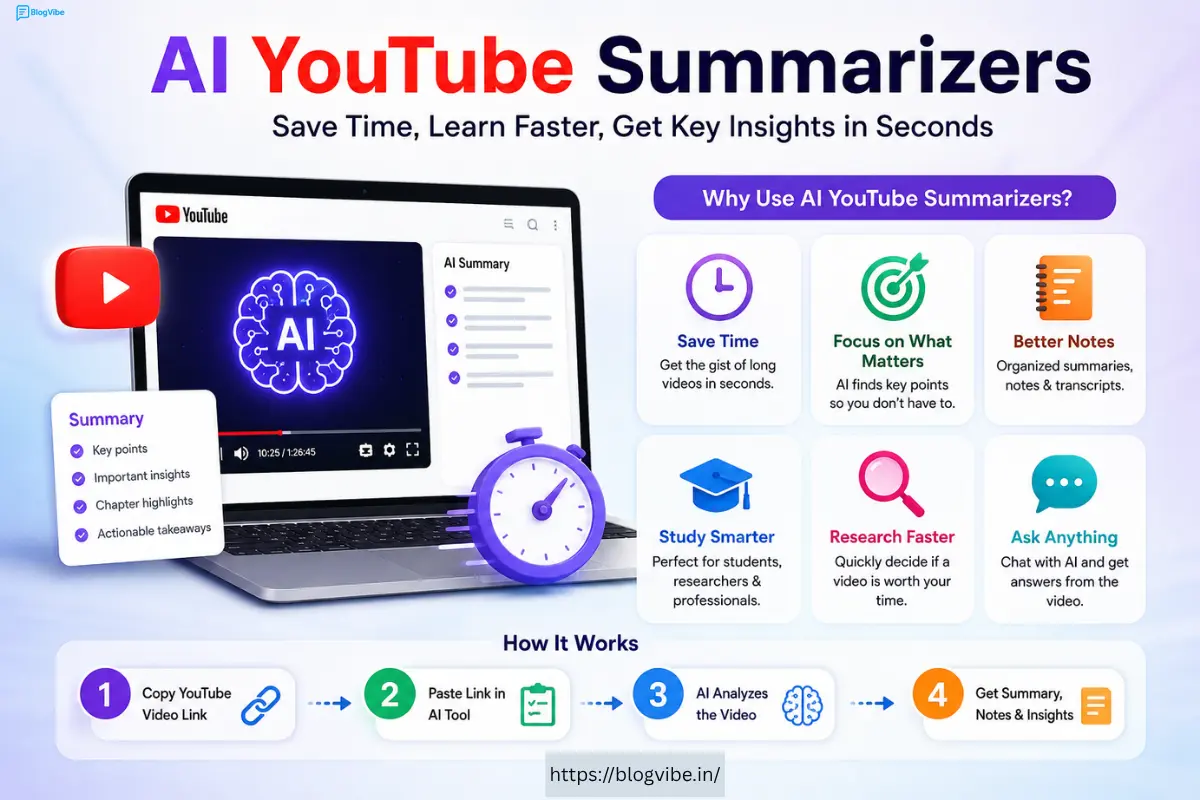
Instead of watching an entire video, you can provide the YouTube URL to a supported tool. The AI analyzes the available transcript or video information and generates a summary.
Depending on the platform, you may get:
- Short video summaries
- Detailed notes
- Key takeaways
- Bullet-point summaries
- Video transcripts
- Chapter summaries
- Important timestamps
- Mind maps
- AI-generated questions and answers
For example, a 60-minute educational video could potentially be reduced to a few minutes of reading.
Important: AI summaries can contain mistakes. For important academic, professional, legal, financial, or technical information, always check the original video and sources.
Quick Comparison: Best AI YouTube Summarizers
| Tool | Best For | Key Feature |
| NoteGPT | Students & researchers | Video summaries and transcripts |
| Monica | General AI productivity | Multiple AI features |
| Notta | Transcription & notes | Transcription and summaries |
| Krisp | Meetings & videos | AI notes and transcription |
| Xmind AI | Visual learners | Mind maps |
| Noiz | Quick summaries | YouTube summarization |
| BibiGPT | Video research | AI video analysis |
| Wayin.ai | Video understanding | AI-powered summaries |
| Clipwise | Content creators | Video-related AI tools |
| Memories.ai | Video organization | AI video understanding |
Features and availability can change over time, so check each tool’s official website before choosing a paid plan.
1. NoteGPT
NoteGPT is designed for people who want to quickly understand online video content without watching every minute.
It can be particularly useful for students, researchers, and professionals who regularly consume educational YouTube content.
Key Features
- YouTube video summarization
- Transcript generation
- AI-generated notes
- Key-point extraction
- Support for multiple languages
- AI chat functionality on supported content
Best For
Students, researchers, and people who watch educational videos.
Pros
- Easy-to-understand summaries
- Useful for study and research
- Combines transcripts and AI features
Cons
- Some features may require a paid plan
- AI summaries can vary depending on transcript quality
Verdict
If your main goal is turning educational YouTube videos into notes, NoteGPT is worth considering.
2. Monica
Monica is an AI productivity platform offering multiple AI-powered functions rather than focusing exclusively on YouTube summaries.
Its broader AI toolkit makes it useful if you want to summarize content while also having access to other AI productivity features.
Key Features
- AI summarization
- Writing assistance
- Content analysis
- AI chat
- Browser-based productivity features
- Multiple AI models/features depending on the plan
Best For
Users who want an all-in-one AI productivity assistant.
Pros
- More than just a YouTube summarizer
- Useful for different content types
- Convenient for general AI tasks
Cons
- May be more than you need if you only want YouTube summaries
- Some advanced features may be paid
Verdict
Choose Monica if you want YouTube summarization plus a wider collection of AI productivity features.
3. Notta
Notta focuses heavily on transcription, meeting notes, and converting spoken content into useful text.
This makes it particularly useful when you want more than a short summary.
Instead of simply asking, “What is this video about?“, you can use transcription and AI notes to create a searchable text version of the content.
Key Features
- AI transcription
- AI summaries
- Meeting notes
- Speaker identification in supported situations
- Export options
- Multiple language support
Best For
Professionals, researchers, students, and people who need transcripts.
Pros
- Strong transcription focus
- Useful for long-form spoken content
- Helpful for creating structured notes
Cons
- Free usage may have limits
- Some advanced functionality is paid
Verdict
Notta is a strong choice when transcription is as important as summarization.
4. Krisp YouTube Video Summarizer
Krisp is well known for AI-powered audio and meeting productivity features. Its AI capabilities can also help users process spoken content and create useful notes.
If you regularly work with meetings, interviews, lectures, or other spoken material, Krisp can be a practical addition to your AI toolkit.
Key Features
- AI-powered transcription
- AI-generated notes
- Meeting summaries
- Speaker-related features
- Noise cancellation
- Productivity tools
Best For
Professionals and users who work with meetings and spoken content.
Pros
- Excellent productivity ecosystem
- Strong focus on audio
- Useful beyond YouTube
Cons
- Not exclusively a YouTube summarizer
- Some features depend on the subscription plan
Verdict
Krisp is particularly useful if your workflow includes YouTube content, meetings, interviews, and calls.
5. Xmind AI
If you prefer visual learning, Xmind AI can be an interesting option.
Rather than relying only on paragraphs of text, visual organization can help you understand how different ideas connect.
Mind maps can be especially useful for educational videos, business presentations, tutorials, and research.
Key Features
- AI-assisted mind mapping
- Visual organization of information
- Structured notes
- Brainstorming tools
- Collaboration features
Best For
Visual learners, students, researchers, and planners.
Pros
- Visual approach to information
- Useful for organizing complex subjects
- Good for brainstorming
Cons
- Mind mapping may not be necessary for simple videos
- Some features may require a subscription
Verdict
If traditional summaries feel too basic, Xmind AI’s visual approach can make information easier to organize.
6. Noiz
Noiz focuses on helping users quickly understand YouTube content through AI-generated summaries.
The biggest advantage of tools in this category is convenience: instead of watching an entire video, you can quickly review its important points first.
Key Features
- YouTube summarization
- AI-generated key points
- Quick content analysis
- Browser-friendly workflow
Best For
People who want quick summaries before deciding whether to watch a video.
Pros
- Saves time
- Simple concept
- Useful for content discovery
Cons
- Results depend on available video transcripts
- Accuracy can vary
Verdict
Noiz can be useful when your primary goal is quickly deciding whether a YouTube video is worth watching.
7. BibiGPT
BibiGPT is another AI-powered solution for understanding video and audio content.
Tools like this can be useful for research because they allow you to interact with information rather than simply watching the original content from beginning to end.
Key Features
- AI video summarization
- Transcript-based analysis
- Key information extraction
- Question-and-answer functionality on supported content
Best For
Researchers, students, and information-heavy workflows.
Pros
- Useful for research
- Can reduce long videos to important information
- AI-based content interaction
Cons
- Feature availability can change
- Free usage may be limited
Verdict
BibiGPT is worth testing if you want to research YouTube content faster.
8. Wayin.ai
Wayin.ai uses AI to help users process and understand video content.
For people who consume large amounts of online content, AI-powered analysis can reduce the amount of time spent manually taking notes.
Key Features
- Video understanding
- AI-generated summaries
- Content analysis
- Information extraction
Best For
Users who want AI assistance with video research and understanding.
Pros
- Time-saving
- Useful for information-heavy videos
- AI-powered analysis
Cons
- Supported features can change
- Summary quality depends on the source material
Verdict
Wayin.ai is worth considering as an alternative if you want to experiment with AI-powered video understanding.
9. Clipwise
Clipwise is aimed more toward users working with video and content workflows.
Content creators can benefit from AI tools that help them process videos, identify useful information, and speed up parts of the content-production process.
Key Features
- AI video processing
- Content analysis
- Video-related AI tools
- Productivity features
Best For
Content creators and marketers.
Pros
- Useful for content workflows
- Can help reduce manual video analysis
- Creator-focused features
Cons
- Not every feature is designed specifically for YouTube summarization
- Pricing and availability may vary
Verdict
Clipwise can make more sense for creators who need video AI tools beyond simple summarization.
10. Memories.ai
Memories.ai takes a broader approach to AI-powered video understanding and organization.
Instead of treating a video simply as a transcript, video intelligence tools can help users work with visual information contained in video content.
Key Features
- AI video understanding
- Video search and organization
- Content analysis
- AI-powered video workflows
Best For
Users working with large amounts of video content.
Pros
- Goes beyond simple text summaries
- Useful for video organization
- Interesting for professional workflows
Cons
- May be unnecessary for casual YouTube viewers
- Advanced functionality may be aimed at professional users
Verdict
Memories.ai is better suited to people looking for broader AI video intelligence rather than a basic YouTube summary.
How to Choose the Best AI YouTube Summarizer
Not every AI summarizer is designed for the same purpose. Before choosing one, consider the following factors.
1. Summary Quality
The most important factor is whether the generated summary accurately represents the video.
A short summary isn’t useful if it removes important context or introduces incorrect information.
2. Transcript Support
Many Best AI YouTube Summarizer rely heavily on transcripts.
If the transcript is inaccurate, incomplete, or unavailable, the AI-generated result may also be poor.
3. Summary Length
Look for tools that let you choose between:
- Short summaries
- Detailed summaries
- Bullet points
- Chapter-based notes
4. Language Support
If you watch videos in different languages, check whether the tool supports the languages you need.
5. AI Chat
Some tools allow you to ask questions about the video.
For example:
“What are the three main lessons from this video?”
This can be much more useful than reading a generic summary.
6. Export Options
Students and researchers may want to export their notes into documents or other productivity apps.
7. Price
Many AI tools offer free plans with limits. Paid plans can provide additional usage, advanced AI models, longer transcripts, or extra features.
Always compare the current pricing before subscribing.
How to Summarize a YouTube Video With AI
The process is generally simple.
Step 1: Find the YouTube video
Copy the URL of the video you want to analyze.
Step 2: Open an AI summarizer
Choose a tool that supports YouTube videos.
Step 3: Paste the URL
Insert the YouTube link into the tool.
Step 4: Generate the summary
Allow the AI to process the transcript or available video information.
Step 5: Review the results
Read the summary and compare important claims with the original video.
Step 6: Ask follow-up questions
If the tool supports AI chat, ask specific questions about the video.
For example:
- What are the main points?
- What examples were mentioned?
- What are the key statistics?
- What should I remember from this video?
- Create study notes from this video.
Vedio:
Are Best AI YouTube Summarizer Free?
Some AI YouTube summarizers offer free functionality, while others use a freemium model.
A free plan may include limitations such as:
- Limited summaries per day
- Shorter video limits
- Limited AI questions
- Restricted exports
- Limited transcription minutes
Paid plans generally increase usage limits and unlock additional features.
Because pricing changes frequently, check the tool’s official pricing page before making a purchase.
Benefits of Using AI to Best AI YouTube Summarizer
AI summarizers can provide several advantages.
Save Time
You can understand the basic content of a long video without watching every minute.
Faster Research
Researchers can quickly identify whether a video contains relevant information.
Better Study Notes
Students can convert lectures and educational videos into structured notes.
Content Research
Creators can analyze videos to identify topics, ideas, and important discussion points.
Easy Information Review
Instead of repeatedly watching sections of a video, you can search through a transcript or summary.
Limitations of AI YouTube Summarizers
AI summarization isn’t perfect.
Accuracy Problems
AI can misunderstand context or produce incorrect information.
Transcript Dependence
Some tools depend heavily on the quality and availability of YouTube transcripts.
Missing Visual Information
A transcript-based AI may not fully understand information shown visually in a video.
Context Loss
A short summary can leave out important examples, explanations, or qualifications.
Therefore, AI summaries should be treated as a time-saving research aid, not always as a replacement for the original source.
AI YouTube Summarizer vs Watching the Full Video
| Feature | AI Summarizer | Full Video |
| Time required | Low | High |
| Detailed context | Limited | Excellent |
| Quick research | Excellent | Slow |
| Visual information | May be limited | Complete |
| Exact presentation | No | Yes |
| Note-taking | Automatic | Manual |
| Best for learning deeply | Sometimes | Yes |
The best approach is often to use both.
First, use AI to understand the video’s main ideas. Then watch the relevant sections of the original video for deeper understanding.
FAQ(Best AI YouTube Summarizer)
What is the Best AI YouTube Summarizer?
There isn’t one tool that is best for everyone. NoteGPT, Notta, Monica, Xmind AI, and other tools can be useful depending on whether you prioritize summaries, transcription, visual notes, or general AI productivity.
Can AI summarize a YouTube video?
Yes. Many AI tools can process a YouTube video’s available transcript and generate summaries, notes, or key points.
Can I Best AI YouTube Summarizer a 1-hour video?
Yes, provided the selected tool supports the video’s length and has access to suitable transcript or video information.
Can Best AI YouTube Summarizer Shorts?
Some tools may support Shorts, but compatibility can vary. Check the individual tool before relying on it.
Are Best AI YouTube Summarizer accurate?
They can be useful, but they aren’t guaranteed to be completely accurate. Always verify important information against the original video or source.
Can AI summarize videos in other languages?
Some AI tools support multiple languages, but language availability and accuracy differ between platforms.
Can I use AI summaries for research?
Yes. AI summaries can be useful for initial research and content discovery. However, important claims should be verified using the original video and authoritative sources.
Final Verdict: Which AI YouTube Summarizer Should You Choose?
The best AI YouTube summarizer depends on your workflow.
For students and research: NoteGPT or Notta can be useful choices.
For general AI productivity: Monica is worth considering.
For visual learners: Xmind AI offers a different approach through visual organization.
For professionals: Krisp can be useful when video and meeting workflows overlap.
For quick video summaries: Noiz and similar dedicated summarizers can save time.
For video-heavy workflows: Memories.ai and other video-intelligence platforms may be more suitable.
Ultimately, don’t choose an Best AI YouTube Summarizer simply because it generates the shortest summary. Look at accuracy, transcript quality, language support, AI features, usage limits, export options, and pricing.
The right tool should help you spend less time searching through long videos and more time actually using the information you find.

