
What if you could build your own AI employee without hiring a developer or spending hundreds of dollars?
Imagine an AI assistant that researches topics, answers customer questions, organizes leads, analyzes documents, and performs repetitive tasks automatically. You can build systems like these using modern AI agent builders.
The best part? You don’t always need coding skills or an expensive subscription.
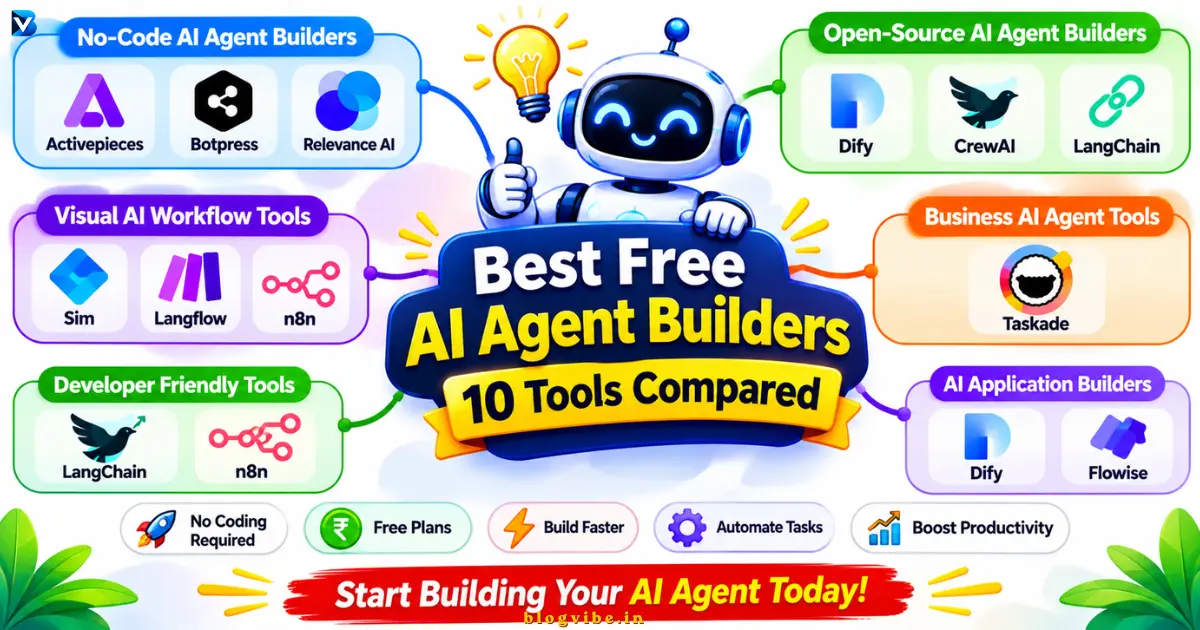
In this guide, we’ll compare the 10 best free AI agent builders in 2026, including no-code platforms, open-source solutions, and self-hosted tools. You’ll discover their features, free-plan limitations, advantages, disadvantages, and which platform is best for your needs.
Whether you’re a beginner, freelancer, developer, or business owner, this guide will help you choose the right AI agent builder.
Quick Comparison: 10 Best Free AI Agent Builders in 2026
| Tool | Best For | Free Option | Coding Required? |
| Activepieces | AI workflows and agents | Free cloud plan | No |
| Botpress | Customer support agents | 100 free conversations | No |
| Relevance AI | Business AI agents | Limited free plan | No |
| Dify | AI applications and agents | Free sandbox | Low-code |
| Taskade | Personal AI assistants | Limited free plan | No |
| Sim | Visual AI agent workflows | Free cloud plan | No/Low-code |
| n8n | Advanced AI automation | Free self-hosted edition | Low-code |
| Langflow | Visual AI applications | Free open-source version | Low-code |
| CrewAI | Multi-agent systems | Free open-source framework | Yes |
| LangChain | Custom AI agents | Free open-source framework | Yes |
Free plans have usage limits. AI model APIs, server hosting, and external integrations may cost extra. Check the official pricing pages before signing up.
What Is an AI Agent Builder?
An AI agent builder is a platform that helps you create AI-powered systems capable of understanding instructions, using tools, processing information, and completing tasks.
Unlike a basic chatbot that mainly responds to questions, an AI agent can perform actions using the tools and permissions you give it.
For example, imagine you run an online business and receive 50 customer inquiries every day.
Instead of manually checking every message, you could build an AI agent that:
- Read incoming customer messages.
- Identifies the customer’s question.
- Search for your approved knowledge base.
- Prepare an appropriate response.
- Sends the message for approval or routes it to a human representative.
This is how AI agents can help reduce repetitive work.
10 Best Free AI Agent Builders in 2026
1. Activepieces – Best Free No-Code AI Agent Builder
Best for: Beginners, freelancers, startups, and small businesses.
Activepieces is an AI workflow automation platform that allows users to build automated processes and AI agents through a visual interface.
It is particularly useful if you want to connect AI with applications such as Google Sheets, email services, and other business tools.
With Activepieces, you can create workflows that receive information, process it using AI, and perform actions in connected applications.
Key Features:
- Visual no-code workflow builder.
- AI agent creation.
- Integration with business applications.
- MCP and API support.
- Self-hosting options.
- Reusable automation workflows.
Free Plan:
Activepieces currently lists a free plan that includes:
- 1,000 credits per month.
- Unlimited flows.
- Up to five users.
- AI agents, flows, and tables.
- MCP and API access.
The detailed pricing table also specifies a daily credit reset. Check the current allowance inside your account.
Pros:
- Easy visual interface.
- Free starting plan.
- Useful AI and automation integrations.
- Open-source Community Edition.
Cons:
- Credits can limit frequent usage.
- Complex workflows require planning.
- Self-hosting requires technical maintenance.
Verdict: Activepieces is one of the best starting points if you want to build AI agents and automated business workflows without writing code.
Website: https://www.activepieces.com/
2. Botpress – Best for AI Customer Support Agents
Best for: Website owners, customer support teams, and online businesses.
Botpress is a platform for creating AI-powered conversational agents and chatbots.
You can build an assistant that answers customer questions, provides product information, and connects users with support teams.
For example, an e-commerce business could create an AI support agent that answers questions about shipping, returns, products, and order policies using its approved information.
Key Features:
- Visual agent builder.
- Knowledge-base integration.
- Customer support automation.
- Conversational AI.
- Website chat deployment.
- Agent testing and management.
Free Plan:
Botpress currently offers:
- 100 conversations.
- Three seats.
- Three AI agents.
- Community support.
Conversation limits apply, so this plan is best for testing and smaller projects.
Pros:
- Good for website chatbots.
- Beginner-friendly visual builder.
- Useful knowledge-base features.
- Free starting option.
Cons:
- Limited free conversations.
- Higher-volume projects require paid plans.
- Advanced customization may take time.
Verdict: Choose Botpress if your primary goal is to build a customer support chatbot for your website.
Website: https://botpress.com/
3. Relevance AI – Best for Building Business AI Agents
Best for: Marketing teams, sales professionals, researchers, and business owners.
Relevance AI helps users create AI agents that can handle business-related tasks.
You can build specialized agents for lead research, sales operations, customer support, and data processing.
For example, a sales research agent can collect information about potential customers, summarize relevant details, and prepare lead reports.
Key Features:
- Visual AI agent builder.
- Multi-agent workflows.
- Business automation capabilities.
- Connected tools and integrations.
- Knowledge and data processing.
- AI workforce management.
Free Plan:
Relevance AI provides a limited free plan for experimenting with AI agents. Its pricing page lists 200 actions per month and a limited vendor-credit allowance.
Remember that actions and vendor credits are different: an agent action may consume platform usage, while AI model operations can consume vendor credits.
Scheduled tasks and advanced business features may require an upgrade.
Pros:
- Designed around business AI agents.
- Useful for sales and research tasks.
- Multiple agents and tools.
- No-code agent creation.
Cons:
- Usage limits can be restrictive.
- Advanced automation requires paid features.
- AI usage needs monitoring.
Verdict: Relevance AI is a good option for experimenting with AI employees and business workflows.
Website: https://relevanceai.com/
4. Dify – Best for Building AI Applications and Agents
Best for: Developers, startups, technical founders, and AI application builders.
Dify is a platform for building AI applications, workflows, and agent-based systems.
It combines visual workflow building with knowledge bases, model integrations, and tools.
For example, you could build an AI research assistant that searches your uploaded documents and answers questions using information from your knowledge base.
Key Features:
- Visual workflow builder.
- AI agent development.
- Knowledge-base management.
- Multiple model integrations.
- API deployment.
- Self-hosted Community Edition.
Free Plan:
Dify’s cloud Sandbox currently includes:
- 200 message credits.
- Five applications.
- One workspace member.
- 50 knowledge documents.
- 50 MB knowledge storage.
- Limited workflow and API allowances.
Dify also offers a self-hosted Community Edition. Remember that running it yourself requires suitable infrastructure and may involve separate model API costs.
Pros:
- Good for building AI applications.
- Visual workflow development.
- Useful knowledge-base features.
- Self-hosting option.
Cons:
- Learning curve for advanced workflows.
- Cloud free limits are restricted.
- Model usage can involve separate expenses.
Verdict: Defy is worth considering when you want to build a knowledge-based AI assistant or a more complete AI application.
Website: https://dify.ai/
5. Taskade – Best for Personal AI Assistants
Best for: Students, freelancers, content creators, and small teams.
Taskade combines AI agents, project management, applications, and automation in one workspace.
You can create specialized assistants that help with research, writing, task organization, and project management.
For example, a content creator could create an AI assistant that organizes blog ideas, prepares content outlines, and helps manage an editorial calendar.
Key Features:
- No-code AI agents.
- AI-powered applications.
- Project and task management.
- Workflow automation.
- Knowledge and file integration.
- Collaborative workspaces.
Free Plan:
Taskade offers a free plan with access to basic agents and limited AI usage. Its free-plan credit allocation is a restricted starter allowance rather than an unlimited monthly AI budget.
The current pricing page describes limited AI credits and application capacity, so check the account dashboard for your exact allowance.
Pros:
- Easy for beginners.
- Combines several productivity tools.
- Useful for content workflows.
- No coding required.
Cons:
- Limited AI credits.
- Advanced agents require higher plans.
- Less suitable for highly customized technical systems.
Verdict: Taskade is a good choice if you want an AI assistant alongside your everyday productivity tools.
Website: https://www.taskade.com/
6. Sim – Best for Visual AI Agent Workflows
Best for: Startups, AI enthusiasts, and teams building multi-step AI workflows.
Sim is an AI workspace designed to build, deploy, and manage AI agents.
Its visual workflow builder lets you combine AI models, tools, data, and business logic.
For example, you could create a workflow where an AI agent receives a customer inquiry, checks information from a knowledge source, and generates a structured response.
Key Features:
- Visual AI workflow builder.
- AI agent components.
- Multiple model integrations.
- Knowledge-base connections.
- Workflow deployment.
- API and MCP support.
Free Plan:
Sim currently offers:
- Free cloud access.
- 1,000 one-time credits.
- One workspace.
- Up to 10 concurrent executions.
- Workflow and API capabilities.
The credits are one-time, not a recurring monthly allowance.
Sim also describes its core platform as open-source under Apache 2.0, with self-hosting options. Check the deployment and enterprise-feature conditions before choosing a production setup.
Pros:
- Visual workflow design.
- AI agents as workflow components.
- Open-source core.
- Useful for multi-step processes.
Cons:
- Free credits are limited.
- Advanced workflows take practice.
- Production usage may require paid resources.
Verdict: Sim is a promising option for people who want to build and inspect visual AI agent workflows.
Website: https://www.sim.ai/
7. Langflow – Best Open-Source Visual AI Agent Builder
Best for: Developers, AI learners, and technical users who prefer visual development.
Langflow is an open-source, Python-based framework for creating AI applications and agent workflows.
It provides a visual editor where you can connect language models, tools, components, and data sources.
For example, you can create a research agent that uses web search, a calculator, and a document knowledge base to complete a task.
Key Features:
- Drag-and-drop visual editor.
- AI agent components.
- Multiple model integrations.
- Tool calling.
- MCP integration.
- Custom Python components.
Free Access:
Langflow is available as open-source software under the MIT license. You can install and run it on your own infrastructure without paying a Langflow subscription.
However, cloud hosting, server resources, and external AI model API usage may have separate costs.
Pros:
- Open-source and customizable.
- Visual AI development.
- Supports agent tools.
- Suitable for experimentation.
Cons:
- Requires technical setup.
- Python knowledge is helpful.
- Not as beginner-friendly as simple hosted platforms.
Verdict: Langflow is a strong option if you want a visual interface but also need developer-level flexibility.
Website: https://www.langflow.org/
8. n8n – Best for Advanced AI Agent Automation
Best for: Automation engineers, developers, bloggers, and businesses.
n8n is a powerful workflow automation platform that allows you to combine AI agents with applications, APIs, webhooks, and databases.
You can create customized workflows that do more than simply answer questions.
For example, imagine you publish articles regularly on WordPress. You could create an AI-assisted workflow that collects topic ideas, prepares outlines, generates draft content, and sends an editorial notification.
Key Features:
- Visual node-based workflow editor.
- AI Agent nodes.
- API and webhook integrations.
- JavaScript customization.
- Database connections.
- Self-hosting capabilities.
Free Access:
n8n offers a free self-hosted Community Edition.
The hosted n8n Cloud service is a separate paid product after its trial. The Community Edition uses n8n’s Sustainable Use License, not an OSI-approved open-source license.
Self-hosting also means you are responsible for server maintenance, backups, updates, and security.
Pros:
- Highly customizable workflows.
- Powerful AI agent capabilities.
- Free self-hosted edition.
- Useful for complex automation.
Cons:
- Learning curve for beginners.
- Technical setup required for self-hosting.
- External AI model usage may cost extra.
Verdict: n8n is one of my top recommendations if you want to combine AI agents with real business automation.
Website: https://n8n.io/
9. CrewAI – Best for Multi-Agent AI Systems
Best for: Python developers, AI engineers, and technical teams.
CrewAI is an open-source framework for building systems where multiple AI agents work together.
Instead of assigning everything to one agent, you can create different agents with separate responsibilities.
For example, a content research team could include:
- Research Agent: Collects information.
- SEO Agent: Identifies keywords and content opportunities.
- Writing Agent: Prepares the initial draft.
- Editing Agent: Reviews readability and structure.
These agents can collaborate through defined tasks and workflows.
Key Features:
- Multi-agent collaboration.
- Role-based agents.
- Task orchestration.
- Tool integrations.
- Memory and knowledge capabilities.
- Python-based development.
Free Access:
CrewAI provides an open-source framework that developers can install and run themselves.
You can use the framework without a software subscription, but external model API calls, servers, and other infrastructure may cost money.
Pros:
- Excellent for multi-agent systems.
- Flexible customization.
- Open-source framework.
- Useful for complex processes.
Cons:
- Python programming required.
- More difficult for beginners.
- Debugging multi-agent workflows can be challenging.
Verdict: Choose CrewAI if you want multiple specialized AI agents working together.
Website: https://www.crewai.com/
10. LangChain – Best for Custom AI Agent Development
Best for: Developers, programmers, and teams building customized AI applications.
LangChain is an open-source framework that helps developers build applications powered by large language models.
It provides prebuilt agent architectures and integrations with models, tools, and data sources.
Its LangGraph runtime supports more complex agent workflows, including state management, persistence, and human approval.
For example, you could build a research assistant that searches information, processes documents, remembers important context, and calls external tools.
Key Features:
- Open-source agent framework.
- Model and tool integrations.
- Prebuilt agent architectures.
- Custom workflow development.
- Human-in-the-loop capabilities.
- LangGraph for durable agent workflows.
Free Access:
LangChain is an MIT-licensed open-source library and is free to use. You can install it and develop your own agents.
However, you may need separate API subscriptions, hosting, and infrastructure to run production applications.
Pros:
- High flexibility.
- Large integration ecosystem.
- Good developer documentation.
- Suitable for advanced applications.
Cons:
- Programming knowledge required.
- Requires technical configuration.
- Not designed as a fully no-code builder.
Verdict: LangChain is a good option when you want complete control over how your AI agents work.
Website: https://www.langchain.com/
Which Free AI Agent Builder Should You Choose?
Choosing an AI agent builder becomes easier when you first identify your requirements.
| Your Goal | Recommended Tool |
| Build your first AI agent without coding | Taskade |
| Build a customer support chatbot | Botpress |
| Create business AI agents | Relevance AI |
| Build open-source AI workflows | Activepieces |
| Create AI applications with knowledge bases | Dify |
| Visually build AI agent workflows | Sim |
| Create advanced visual AI applications | Langflow |
| Automate business processes with AI | n8n |
| Build multiple collaborating AI agents | CrewAI |
| Develop custom AI agent applications | LangChain |
My Top 3 Recommendations
1. Activepieces: Best overall starting point for free no-code AI automation.
2. Duty: Best for building knowledge-based AI applications and assistants.
3. n8n: Best for advanced automation and customized AI workflows.
If you are a complete beginner, start with Activepieces or Taskade. You can explore more advanced platforms as your requirements grow.
How to Build Your First AI Agent Without Coding
Let’s take a simple example: building an AI customer support assistant.
You can use a visual platform such as Botpress or Activepieces.
Step 1: Choose an AI Agent Builder
Create an account on your preferred platform. Start with a free plan rather than purchasing a subscription immediately.
Step 2: Define Your Agent’s Purpose
Give your agent one specific responsibility.
Example:
“Create an AI customer support assistant that answers questions about products, shipping, and returns.”
Step 3: Add Knowledge
Provide approved information such as:
- Product descriptions.
- Frequently asked questions.
- Shipping policies.
- Return and refund policies.
Step 4: Configure the AI Model
Choose a supported AI model and configure the necessary credentials.
Some platforms provide limited included AI credits. Others require you to connect your own API key.
Step 5: Connect Tools
Allow your agent to access only the tools it needs.
For example:
- Website knowledge base.
- Customer inquiry form.
- Support email.
- CRM system.
Step 6: Test and Improve
Ask different questions and review the responses.
Check whether your agent:
- Gives accurate information.
- Understands customer questions.
- Use the correct knowledge source.
- Escalates uncertain requests.
- Avoids making unauthorized changes.
Start with a limited test before publishing the agent to real customers.
Are Free AI Agent Builders Really Free?
Yes, but there is an important difference between free software and free AI usage.
There are three common pricing models.
1. Free Cloud Plans
Platforms such as Botpress and Dify offer limited free access. You can start without managing your own server, but usage restrictions apply.
2. Open-Source and Self-Hosted Software
Platforms such as Langflow, Activepieces Community Edition, and CrewAI provide open-source options.
You don’t need to pay a software subscription for the community software, but you may need to pay for:
- VPS or cloud hosting.
- AI model API usage.
- Storage and databases.
- Maintenance and security.
3. Limited Free Credits
Some platforms provide one-time or recurring credits. Once those credits are exhausted, you may need to wait for a reset, connect your own API key, or purchase more.
Always check the pricing model before building an important business workflow.
Important: Why Flowise Is Not Included in This List
Flowise was previously a popular visual AI agent builder. However, its official team announced that it was winding down operations, with repository archival scheduled for August 10, 2026, and the end of official support on August 31, 2026.
Therefore, I would not recommend starting a new production project on the original Flowise platform without a maintained community fork or an alternative support plan.
You can read the official Flowise sunset announcement.
Frequently Asked Questions
1. What is the best free AI agent builder for beginners?
Activepieces and Taskade are good starting points. Both offer visual, no-code experiences that help beginners experiment with AI agents and automation without learning programming.
2. Can I build AI agents without coding?
Yes. Platforms such as Botpress, Activepieces, Taskade, Relevance AI, and Sim provide visual or prompt-based interfaces for creating AI agents without writing traditional code.
3. What are the best open-source AI agent builders?
Langflow, Activepieces Community Edition, CrewAI, and LangChain are notable open-source options. Dify also provides a self-hosted Community Edition. Check the applicable license for commercial use and deployment requirements.
4. Are there free AI agent builders for small businesses?
Yes. Activepieces, Botpress, Relevance AI, and Taskade offer free starting options. Compare their usage limits, integrations, and features before choosing one for your business.
5. Can I build an AI agent for my WordPress website?
Yes. You can build a chatbot or support assistant using platforms such as Botpress or Dify and integrate it into your WordPress website using their supported deployment or embedding options.
6. Do free AI agent builders require an API key?
Not always. Some platforms include limited AI usage or credits. Others require you to connect an API key from a supported AI model provider. Self-hosted frameworks commonly require you to configure your own model or API connection.
7. What is the difference between an AI agent and an AI chatbot?
An AI chatbot primarily responds to user messages. An AI agent can also use tools, access approved data, make decisions within its instructions, and perform actions. Some advanced chatbots combine both capabilities.
Conclusion: Start Building Your First AI Agent Today
AI agents are changing how individuals and businesses approach repetitive work. You no longer need to build every automation from scratch or hire a developer for every simple task.
The tools in this comparison offer different ways to start building AI-powered systems.
- Choose Activepieces for no-code workflow automation.
- Choose Botpress for customer support assistants.
- Choose Dify for AI applications and knowledge-based assistants.
- Choose n8n for advanced automation.
- Choose Langflow or CrewAI for more technical AI development.
My recommendation is to start with one small project, test it using a free plan, and expand only when the workflow delivers reliable results.
READ MORE:
7 Best n8n AI Agent Workflows for Powerful Automation