
Artificial intelligence is changing how businesses work, from automating repetitive office tasks to managing customer enquiries and organizing business data. But one important question remains: Is AI automation worth it in 2026?
The answer is yes for some businesses, freelancers and professionals, but not for everyone. AI automation can save time, improve productivity and reduce repetitive work when it is implemented correctly. However, software subscriptions, development costs, maintenance and human supervision can reduce its financial benefits.
The best approach is to start with a specific problem, choose a suitable automation tool and calculate the potential return before investing.
In this guide, you will discover the seven major benefits of AI automation, its disadvantages, practical examples, estimated costs, useful tools and how beginners can get started.
What Is AI Automation?
AI automation is the use of artificial intelligence and connected software to perform tasks that would otherwise require manual work.
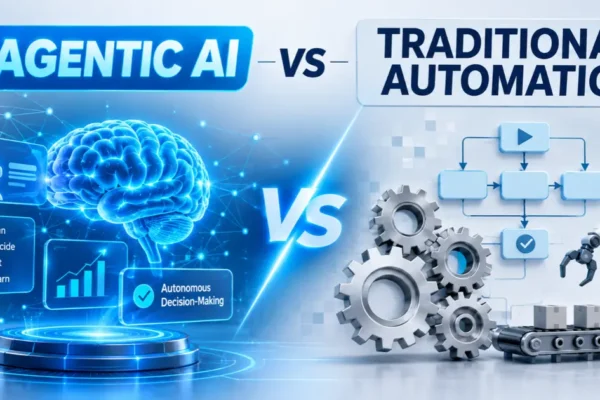
Traditional automation follows predefined rules. AI automation can also interpret information, classify data, summarize text and generate responses based on context.
For example, a traditional workflow might automatically send an email when someone completes a website form. An AI-powered workflow could additionally understand the enquiry, categorize the customer’s needs and prepare a relevant response for a human to approve.
Common applications include:
- Customer support and enquiry management.
- Email sorting and response drafting.
- Invoice processing and data extraction.
- Content research and organization.
- Lead management and follow-ups.
- Business reporting and workflow management.
The purpose is not to automate everything. It is to make specific processes faster and more manageable.
Is AI Automation Worth It in 2026?
Yes, AI automation can be worth it in 2026 when it solves a frequent, measurable problem and provides more value than its total implementation and operating costs.
Recent research provides a more realistic picture than exaggerated marketing claims.
The UK government’s October 2026 AI adoption research surveyed 3,503 UK businesses. It found that AI adoption had doubled from 16% in 2025 to 32% in 2026.
Among businesses adopting AI, the report found:
- 71% reported improvements in workforce productivity as a benefit.
- 60% reported more efficient or flexible processes.
- 50% reported an overall increase in productivity.
- 24% reported reduced operating costs.
- 64% reported no immediate change in operating costs.
- 9% reported increased operating costs.
These findings show why AI adoption and financial success should not be treated as the same thing.
The research also found that skills, implementation knowledge and concerns about accuracy and data protection remain important barriers.
Source: UK Government – Artificial Intelligence Adoption Research 2026.
The important lesson is that AI can improve productivity without necessarily reducing a company’s monthly expenses.
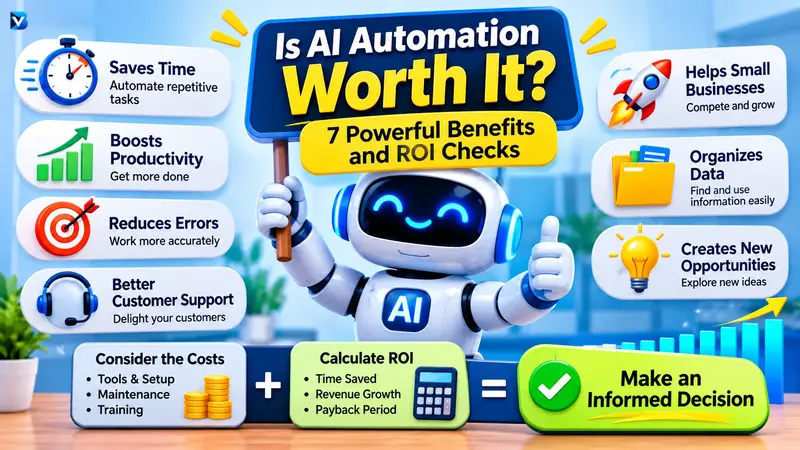
7 Powerful Benefits of AI Automation
1. Saves Time on Repetitive Tasks
One of the biggest benefits of AI automation is reducing repetitive work.
Businesses frequently spend time copying information, organizing emails, preparing reports and responding to similar questions.
An automation workflow can take over suitable parts of these processes.
For example, a business can collect customer enquiries through a website form, organize the information in a spreadsheet and notify the relevant employee automatically.
This allows people to spend more time on important responsibilities.
2. Improves Business Productivity
Employees and business owners can use automation to handle routine processes more consistently.
For example, a sales team might automate:
- Lead collection.
- Customer categorization.
- CRM record updates.
- Follow-up reminders.
- Weekly reporting.
The team can then spend more time communicating with customers and working on sales opportunities.
Productivity improvements do not always translate into immediate financial savings, but they can create additional working capacity.
3. Reduces Manual Errors
Manual data entry and repetitive information processing can introduce mistakes.
AI automation can help extract information, organize documents and check records against predefined conditions.
For example, an invoice workflow might extract the supplier name, invoice number and payment amount before sending the information for approval.
However, AI outputs can still be inaccurate. Important financial information should be checked before payment or approval.
4. Provides Faster Customer Support
Customers often expect quick responses, even outside normal business hours.
An AI-powered support workflow can answer approved frequently asked questions, collect customer details and route complicated requests to a human representative.
For example, an online store could use automation to:
- Answer basic delivery questions.
- Collect order information.
- Share approved return instructions.
- Notify support staff about complaints.
This makes customer communication more organized without requiring AI to make every customer service decision.
5. Helps Small Businesses Compete
Small businesses often have limited staff and resources.
AI automation can help them manage tasks that would otherwise require additional administrative effort.
Consider a small marketing agency. It could automate report preparation, collect campaign information and organize customer enquiries.
The business may be able to serve more customers without increasing administrative work at the same rate.
However, the final benefit depends on actual customer demand, implementation quality and operating costs.
6. Supports Better Data Organization
Businesses collect information from websites, emails, forms and customer management systems.
Automation can bring information together and organize it into useful reports.
For example, an online business might connect its order system to a spreadsheet and automatically organize daily sales information.
AI can also summarize large amounts of text and help identify patterns, but important decisions should be based on verified data rather than AI-generated assumptions.
7. Creates Opportunities for New Business Services
AI automation is not only useful for existing businesses. It also creates opportunities for people who understand how to build and manage automated workflows.
Beginners can develop skills in:
- No-code workflow building.
- AI tool integration.
- Business process analysis.
- Chatbot configuration.
- Data processing.
- Automation troubleshooting.
People can use these skills to create internal systems, improve their own businesses or offer automation services to clients.
However, learning these tools does not guarantee income. Business understanding, reliability and the ability to solve real problems are equally important.
When Is AI Automation NOT Worth It?
AI automation is not the right solution for every business problem.
There are situations where implementing automation may cost more than the value it creates.
1. The Task Happens Very Rarely
Automating a task that happens once every few months may not generate enough value to justify development and maintenance.
2. The Process Is Constantly Changing
An unstable business process can require repeated changes to its automation workflow.
It is usually better to improve and standardize the process before automating it.
3. The Work Requires Human Judgment
Negotiations, sensitive customer complaints and complicated business decisions often require context and human judgment.
AI can assist with preparation, but it should not automatically make consequential decisions without suitable supervision.
4. The Cost Is Too High
Some automation projects require subscriptions, integrations, development and ongoing monitoring.
When these expenses exceed the value created, the investment does not make financial sense.
5. There Are Privacy and Security Concerns
Business information may contain customer details, financial records or confidential documents.
Before connecting an AI service, check its data policies, access controls, retention practices and security arrangements.
Avoid sending sensitive information to tools that have not been approved for that purpose.
How Much Does AI Automation Cost?
The cost of AI automation depends on the complexity of the workflow and the tools involved.
There is no single price that applies to every business.
| Automation approach | Main expenses |
| DIY automation | Software, subscriptions and your own time |
| No-code workflow | Platform usage and AI service fees |
| Custom AI integration | Development and integration |
| Managed automation | Setup, support and maintenance |
| Self-hosted automation | Hosting, configuration and maintenance |
Some workflow platforms offer free plans, while paid plans can have usage limits and additional features.
For example, Make uses credits to measure workflow activity. Each module action can consume credits, so the usage model needs to be considered when estimating the total cost.
Official information: Make pricing and plans.
Remember to include more than the software subscription when calculating costs. You should also account for:
- Initial setup and development.
- AI API usage.
- Hosting and integrations.
- Human checking and corrections.
- Maintenance and troubleshooting.
- Employee training.
How to Calculate AI Automation ROI
Before investing in an AI automation system, calculate whether its benefits are greater than its costs.
Use the following formula:
Net Monthly Benefit = Monthly Value Created − Monthly Operating Costs
The monthly value created can include measurable time savings, additional gross profit and avoided losses.
Monthly operating costs should include software, API usage, hosting, review time and maintenance.
You can then calculate:
Payback Period = Initial Setup Cost ÷ Net Monthly Benefit
Example: Automating Invoice Data Entry
Imagine a small business processes 120 invoices every month.
The following figures are hypothetical and are provided only to demonstrate the calculation.
| Calculation | Example |
| Current manual work | 10 hours/month |
| Time saved through automation | 7 hours/month |
| Value of an hour | ₹400 |
| Gross value of time saved | ₹2,800 |
| Human review cost | ₹800 |
| Monthly software and usage cost | ₹1,000 |
| Net monthly benefit | ₹1,000 |
| Initial setup cost | ₹6,000 |
Payback calculation:
₹6,000 ÷ ₹1,000 = 6 months.
Under these assumptions, the initial investment would be recovered in approximately six months.
This calculation assumes the saved capacity can genuinely be used productively or converted into financial value. It does not mean that the business automatically receives ₹2,800 in cash savings.
If the net monthly benefit is zero or negative, the automation does not have a positive financial payback under these assumptions.
Best AI Automation Tools for Beginners
Choosing the right tool depends on your technical experience, budget and workflow requirements.
Here are some platforms worth exploring.
1. Make
Make offers a visual workflow builder that connects different applications and automates repetitive processes.
It can be useful for people who prefer designing workflows visually.
Website: https://www.make.com/
2. Zapier
Zapier is a workflow automation platform that connects applications and lets users create automated actions.
It is worth exploring for beginners who want to connect commonly used business applications.
Website: https://zapier.com/
3. n8n
n8n is a workflow automation platform suitable for people who want greater flexibility and control over their integrations.
It is especially relevant for developers and users interested in more advanced AI workflows.
Website: https://n8n.io/
4. Microsoft Power Automate
Power Automate helps users automate business processes and connect services in the Microsoft ecosystem.
It can be useful for organizations that already use Microsoft applications.
Website: https://www.microsoft.com/power-platform/products/power-automate
5. ChatGPT
ChatGPT can help with tasks such as summarizing information, drafting content, analyzing data and generating ideas.
It can also be used as an AI component within a broader automation workflow, depending on the integration method.
Website: https://chatgpt.com/
Beginner recommendation: Start with one workflow using a visual automation tool. Learn how triggers, actions, conditions and AI steps work before attempting complicated autonomous systems.
Is AI Automation Worth Learning in 2026?
Yes, learning AI automation can be a useful investment of time in 2026, especially for people interested in technology, business operations, marketing and software development.
However, learning a collection of tools without understanding business problems is unlikely to be enough.
A good learning path includes:
- Understand how automated workflows operate.
- Learn triggers, actions, filters and conditions.
- Practice connecting two or three applications.
- Learn how to use AI for classification and information extraction.
- Understand APIs and basic JSON.
- Learn error handling and workflow monitoring.
- Build projects that solve real problems.
For example, you could create a workflow that receives website enquiries, extracts important details, organizes the information in a spreadsheet and sends a notification.
This type of practical project demonstrates more useful skills than simply knowing the names of different AI tools.
How to Start AI Automation: A Beginner-Friendly Approach
You do not need to build a complicated AI system at the beginning.
Follow these steps to start safely.
Step 1: Identify a Repetitive Problem
Find something that happens frequently and takes unnecessary time.
Examples include organizing emails, collecting leads and preparing reports.
Step 2: Measure the Existing Process
Record how much time the task currently takes, how frequently it happens and how many errors occur.
Without a baseline, you will struggle to measure improvement.
Step 3: Choose the Right Tool
Compare automation platforms based on their supported integrations, usage limits, security, price and technical requirements.
Do not choose a platform just because it is popular.
Step 4: Create a Small Workflow
Automate one clearly defined process first.
For example:
Website Form → AI Classification → Google Sheets → Email Notification.
Keep a human approval step wherever accuracy or customer communication matters.
Step 5: Monitor the Results
Check whether the workflow is producing accurate outputs.
Measure:
- Time saved.
- Errors and corrections.
- Monthly operating expenses.
- Workflow failures.
- Actual business value.
Step 6: Expand Only When It Works
Once the first workflow is reliable and useful, identify another suitable process.
Expanding gradually makes automation easier to maintain and reduces unnecessary spending.
Advantages and Disadvantages of AI Automation
| Advantages | Disadvantages |
| Saves time on repetitive tasks | Requires setup and training |
| Improves workflow consistency | Can produce incorrect outputs |
| Supports business productivity | May involve recurring expenses |
| Helps organize information | Requires ongoing monitoring |
| Can improve customer response times | Creates privacy and security concerns |
| Opens new business opportunities | Does not replace human judgment |
The right decision depends on the nature of the work, available resources and the results you can measure.
Frequently Asked Questions
1. Is AI automation really worth it?
Yes, when it solves a frequent and measurable problem. It may not be worthwhile when the setup and operating costs exceed the benefits.
2. Is AI automation worth it for small businesses?
It can be particularly useful for small businesses that handle repetitive enquiries, invoices, reporting and administrative work. Start with one affordable and measurable workflow.
3. Can beginners make money with AI automation?
Beginners can develop automation skills and potentially earn by solving business problems for clients. However, income is not guaranteed. Practical experience, communication and reliable implementation matter.
4. How much does AI automation cost?
Costs vary depending on the platform, number of workflows, AI usage, integrations and development requirements. Simple DIY workflows may need little initial investment, while custom systems can cost substantially more.
5. Will AI automation replace human jobs?
AI can automate certain tasks and change how jobs are performed. However, many workflows still require human supervision, decision-making and communication. The impact differs across industries and roles.
6. Which AI automation tool is best for beginners?
Make and Zapier are worth exploring for visual workflows. n8n offers more flexibility for technical users. The best choice depends on your requirements and budget.
7. Is AI automation worth learning in 2026?
Yes, it can be a valuable technical and business skill. Focus on solving real workflow problems rather than learning tools without practical applications.
Final Verdict: Is AI Automation Worth It?
AI automation is worth considering in 2026, but success depends on choosing the right problem.
It can help businesses save time, organize information, manage repetitive processes and improve productivity. However, software costs, implementation effort, accuracy concerns and human supervision must be included in the decision.
For beginners, the smartest approach is to start small, learn practical tools and build one useful workflow.
For businesses, the best approach is to measure the existing process, calculate potential ROI and expand only after seeing reliable results.
The real value of AI automation is not using more AI. It is solving real problems with less unnecessary work.
READ MORE:
How to Build a Business Case for AI Content Automation: 7 Practical Steps